
Self-portraits in photography are more than just snapshots you take of yourself in front of the mirror.
In contrast to regular selfies, self-portraits are intentional images taken with some kind of artistic vision.
They allow you to explore your identity, express your current mood and emotions, or convey a particular message.
I am a professional self-portrait photographer, and I truly love taking self-portraits:
For me, they’re not just a form of creative expression, but also a way to connect with others.
I’ve been taking self-portraits for almost ten years now, and I know that they can be challenging because you’re both the photographer and the subject of the image.
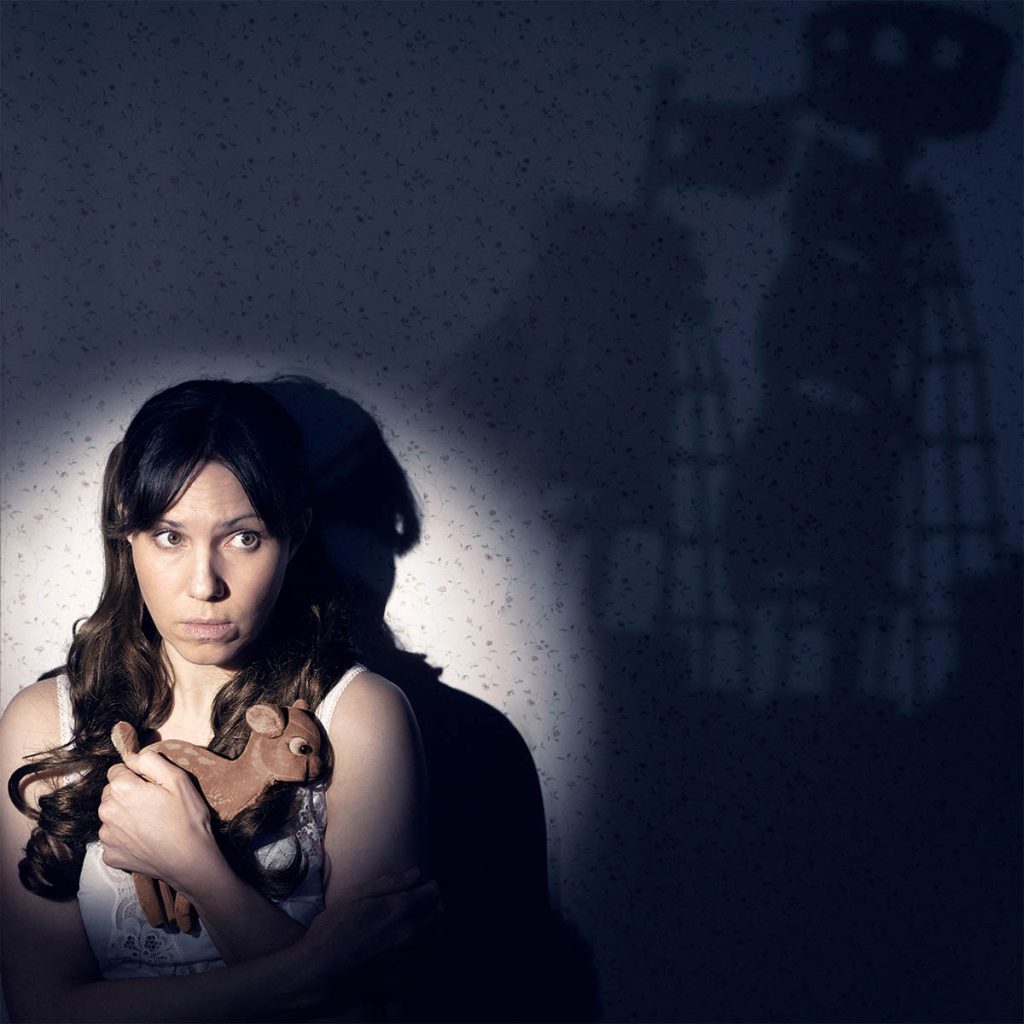
One of my Self Portraits
That’s why I wanted to create this article as a complete guide with everything you need to start your self-portrait journey.
It contains lots of tips for planning your shoot, posing, using lighting and more, with links to more in-depth articles on each topic.
Think of this post as your starting point; your central hub for everything related to self-portrait photography.
Refer back to it whenever you need some tips or inspiration for your next self-portrait shoot.
Before I get to the practical part…let’s first quickly define self portraits in photography!
1. What Are Self Portraits in Photography?
Self-portraits are intentional images in which the photographer is also the subject.
Unlike a quick selfie, which is typically spontaneous and unplanned, a self-portrait involves deliberate choices in regards to composition, lighting, mood, and message.
Self-portraiture actually has a long-standing tradition in art.
Think of painters like Rembrandt, Vincent Van Gogh, or Frida Kahlo, who used self-portraits to explore identity or express their emotions.
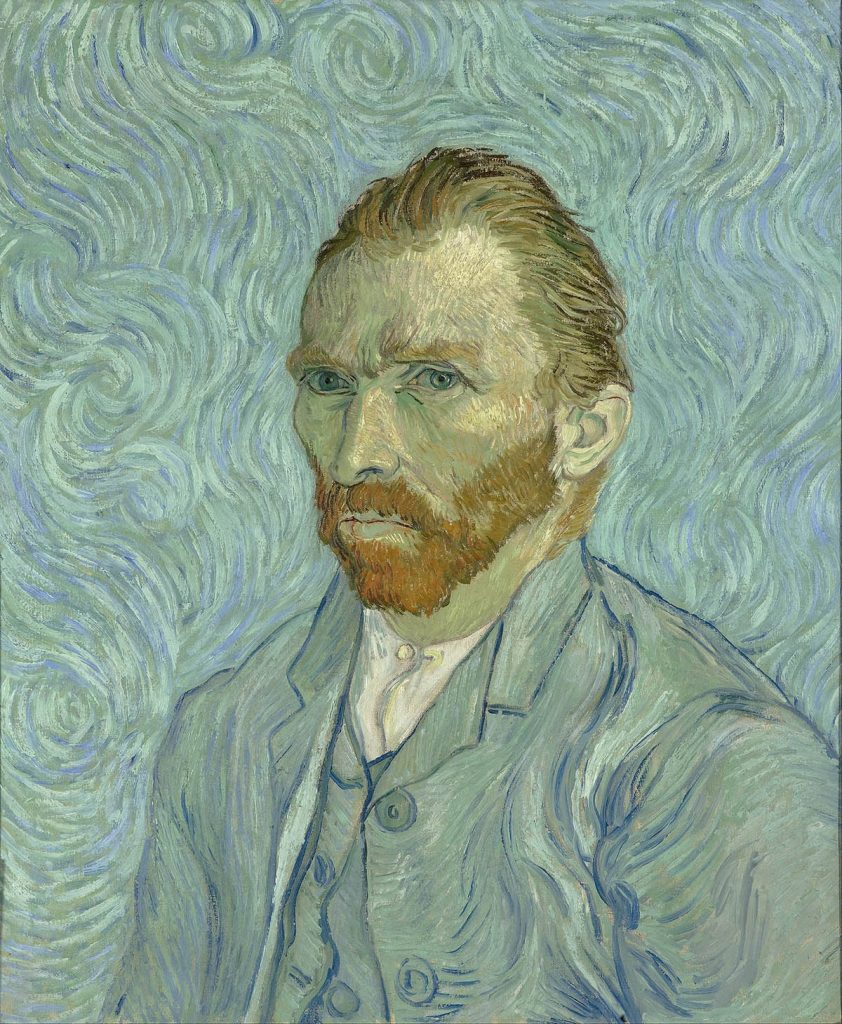
Self-Portrait of Vincent van Gogh, Public Domain, via Wikimedia Commons
There are also many famous photographers known for their self portraits.
A great example is Cindy Sherman:
This well-known artist takes performative self-portraits in which she becomes different characters.
If you want to see more examples of inspiring self-portrait photographers, check out my in-depth post here.
Next, let’s talk about which tools you’ll need for taking self portraits, but before I get to that…did you know you can download my free ebook with 50 self portrait ideas? More info below:
Free Ebook-50 Self Portrait Photography Ideas
Do you love self-portrait photography, but lack inspiration for your shoots? Then download my e-book with 50 ideas for self-portrait photography!

…but now, back to the blog post!
2. Tools You’ll Need
OK, let’s now talk about which gear you’ll need for taking self-portraits in photography.
The first item is a camera, and let me tell you something:
You really don’t need an expensive or fancy camera.
It’s perfectly enough if you have a phone camera, a simple point-and-shoot camera, or even an old analogue camera.
My photography teacher always used to say:
The best camera is the one you’ll use.
So don’t overthink it!
Here are some quick tips/pointers for each camera type:
2.1 Phone Camera
This is a great choice because everyone has a phone, so you don’t need to buy additional gear.
Also, a great benefit of modern phone cameras is the excellent autofocus:
Usually, the phone will automatically focus on your face without you having to do anything.
Since focusing is one of the trickiest parts of taking self-portraits, this is a real plus.
The downside of phone cameras is that the quality may be lower than if you use a professional camera.
For example, not every phone offers the option to shoot in RAW file format (an uncompressed file format which maintains the most data in your digital file and gives you much higher image quality).
However, if you’re just getting started or you don’t really have a big budget right now, a phone camera is a great choice.
2.2 A Dedicated Camera: DSRL or Mirrorless
Next, another option is to use an actual dedicated camera, either a DSLR or a mirrorless camera (for the difference between the two, check out this post).
The benefit of using a proper camera is that you have more creative control:
For example, you can use the manual mode to adjust shutter speed, ISO or aperture.
If you’re more serious about your photography or are planning on heavily editing and/or printing your photos, I highly recommend you get a DSLR or mirrorless camera.
Bonus: This will also give you option to use different lenses, as these types of cameras come with interchangeable lenses.
If you’re planning to buy a dedicated camera for self portraits, you can find an in-depth buying guide with recommendations for some of my favourite camera models right here.
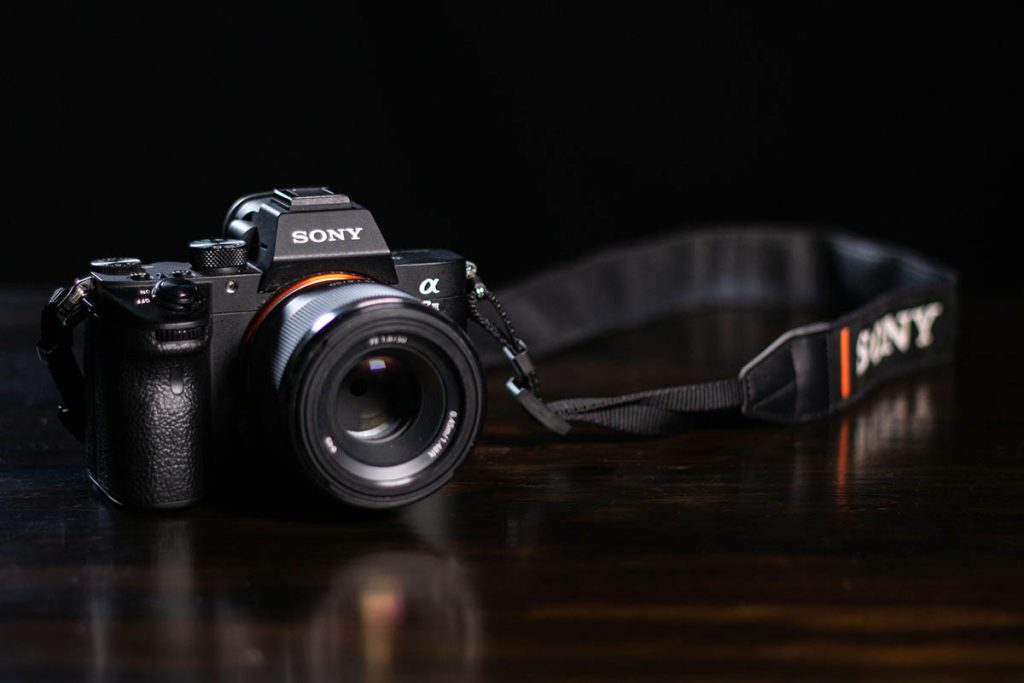
Sony Alpha mirrorless camera, one of the best camera models for self portraits.
2.3 Remote Trigger (or App)
The next thing you may want to get is a remote trigger to take your shots remotely.
Note: You may not need this if you have a camera with Bluetooth/Wi-Fi compatibility.
In that case, you can use an app synced to your camera to take the shot. This is what I do and recommend, but it requires you to have a camera with the above functionality.
If using a phone app is not an option, you can get a cabled or wireless remote for your camera or phone.
Just make sure you buy the right one for your camera/phone model!
2.4 Tripod
The next useful tool I recommend for self-portraits in photography is a tripod.
You can totally take self-portraits without one, but keeping the camera in place will be much more fiddly and annoying.
Tripods are actually very cheap, so I highly recommend you buy one for your self portrait photography.
2.5 Other Gear
There are lots of other items you may want to consider for your self portrait photography, for example specific lights, backdrops, or other home studio gear.
I’ve actually written a whole post about essential items for taking self portraits, which contains a more comprehensive gear list–you can find it here.
In the next section, let’s talk about camera settings and technical tips!
3. Technical Setup & Shooting Tips
In theory, you don’t need to have any particular photography skills to take a self-portrait.
Most modern cameras are so advanced that they automatically select the correct settings for you, and the autofocus setting usually ensures you get the focus right, as well.
However, you will have way more creative options if you learn how to control your camera settings manually.
Here are some tips for getting familiar with your camera settings:
3.1 Camera Settings: ISO, Exposure and Aperture
The ISO, exposure and aperture are the three main settings that help control your camera and manual mode.
In combination, these three settings are called the exposure triangle.
ISO refers to the light sensitivity of the sensor (or film, if shooting analogue).
Aperture is the small opening in the camera lens that controls the amount of light entering the camera.
Finally, shutter speed refers to the rate at which the shutter in the camera opens and closes during the exposure.
Once you understand how your settings work, you can achieve creative effects, such as motion blur or a shallow depth of field.
For example, look at this photo where I used a very wide aperture to create selective focus, something that you won’t really be able to do in auto mode:
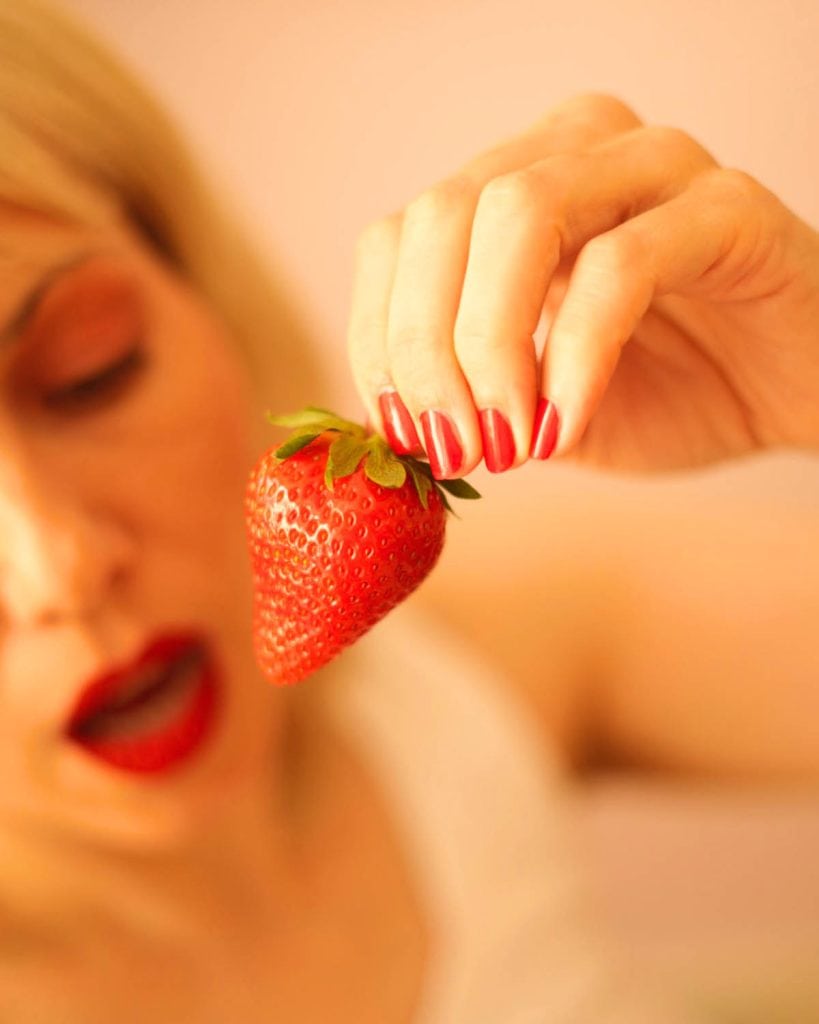
I highly recommend you familiarise yourself with the exposure triangle, as it will completely transform your photography (and make it more fun, too!).
I’ve written two in-depth articles on manual mode: one on ISO and shutter speed, and one on aperture and depth of field.
Hopefully these will help you get out of auto mode and take control of your camera settings.
3.2 How to Get the Focus Right
Focusing is one of the more challenging aspects of taking self-portraits in photography.
Here are some tips for getting sharp photos every time:
If using a DSLR or mirrorless camera, ensure it’s set to face recognition or eye-tracking autofocus mode.
This way, the camera will do the work for you, automatically focusing on your eyes or face.
Note: If using a remote to take a picture, ensure you half-press the button first before taking the picture.
This will allow your camera lens to focus on your face. Then, fully press the button to take the shot.
If using a camera phone, you most likely won’t need to do anything in particular, as smartphones tend to focus on your face automatically.
However, if you want to focus on a specific area in the photo, you can use the focus lock feature.
On an iPhone, for example, tap the yellow square and then drag your finger until you see that the focus is locked on that specific area in the picture.
I’ve written a whole post on self-portrait photography using a mobile phone–you can find it here.
3.3 If You’re Shooting Film
If you’re shooting film (or using an older camera without autofocus), no problem!
There is an old-fashioned method of using a stand-in; check out this post with more tips!
In the next section, let’s talk about how to light your self-portraits!
4. Lighting Your Self Portraits
More than any other aspect in photography, lighting will really make or break your picture.
Very often, the difference between a “blah” picture and an incredible picture is the lighting, so it’s well worth getting familiar with different lighting setups for your self portraits.
Generally, you have two options: using natural or artificial lighting.
Here are some tips for both:
4.1 Natural Light
Natural light is an easy choice because it’s free, plus you can get started right away without having to buy any gear.
The downside is that you’re dependent on the time of day, which can be annoying if you suddenly feel inspired to take self-portraits at night!
Nonetheless, natural light is a great choice for self-portraits in photography.
You can either shoot outdoors or indoors using window light.
Shooting Outdoors
When shooting outdoors, the most flattering light is during the golden hour (approximately one hour after sunrise and one hour before sunset).
At this time, the sun is low on the horizon, meaning the lighting is less direct and more diffused, creating fewer harsh shadows on the skin:
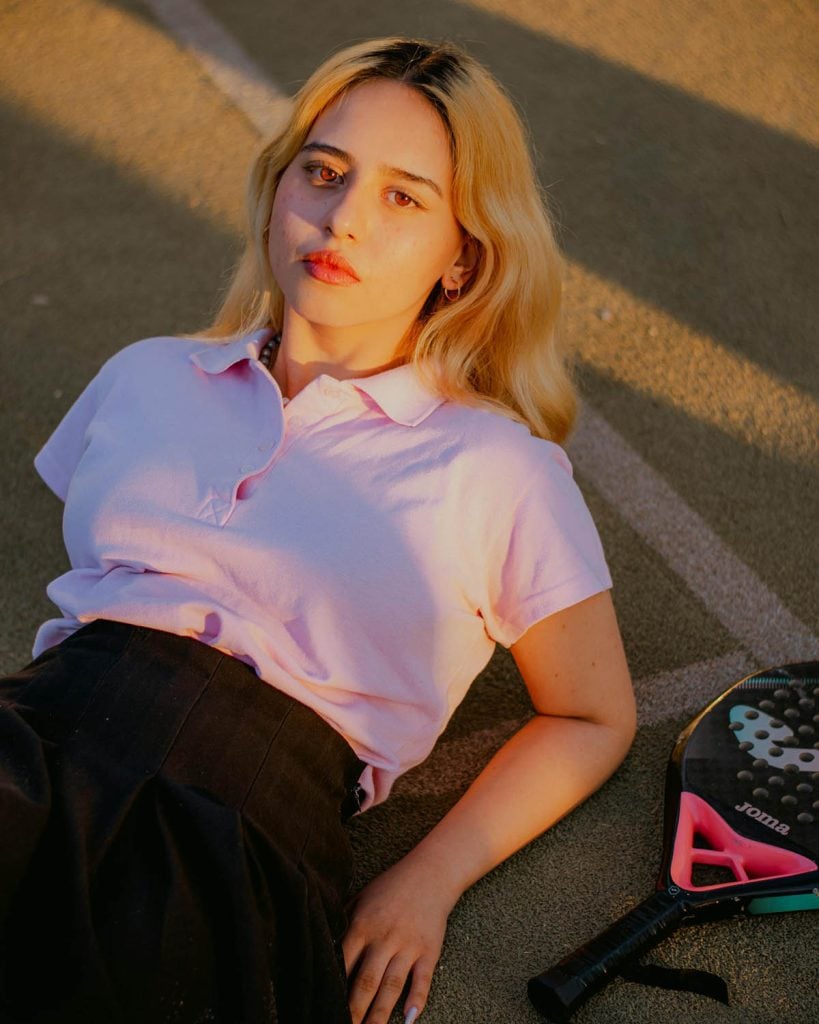
Portrait Shot During Golden Hour. Image Credit: César O’Neill.
Another great choice for beautiful skin and flattering self-portraits is shooting on a cloudy day.
The clouds act like a giant soft box, diffusing the light and making it very soft.
If you’re shooting on a sunny day, you could try using your on-camera flash to brighten up shadows in your face.
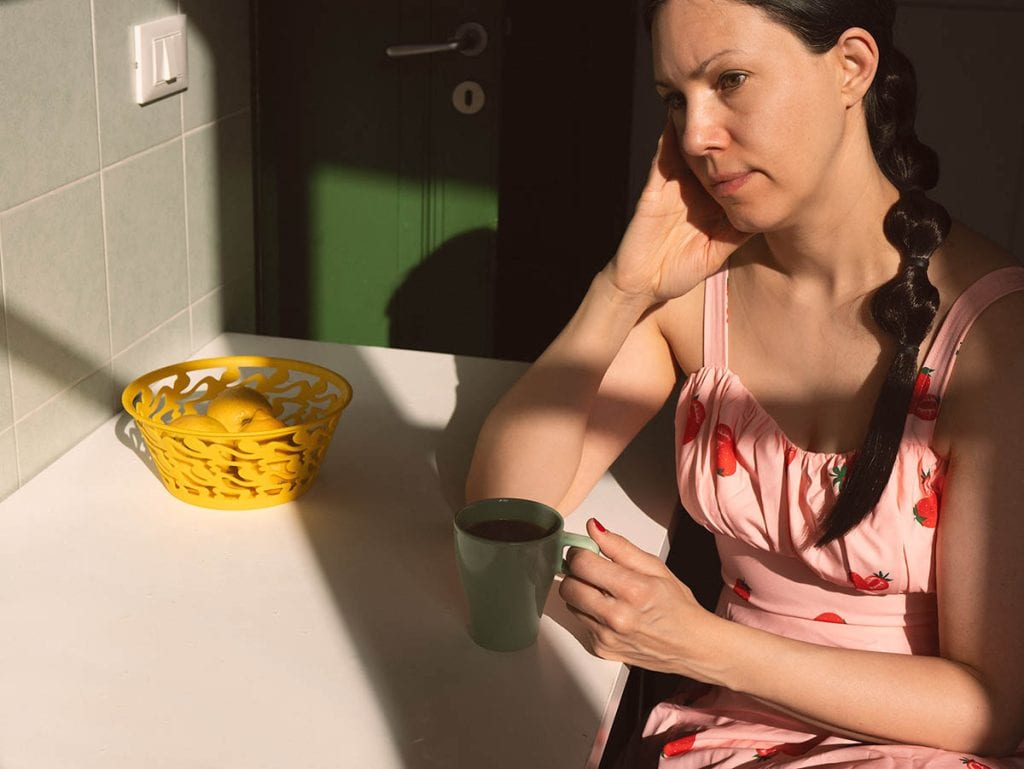
Another option is intentionally using the strong shadows on a sunny day for a more cinematic effect, like in this picture:
Shooting Indoors Using Window Light
Next, you can also shoot indoors using window light.
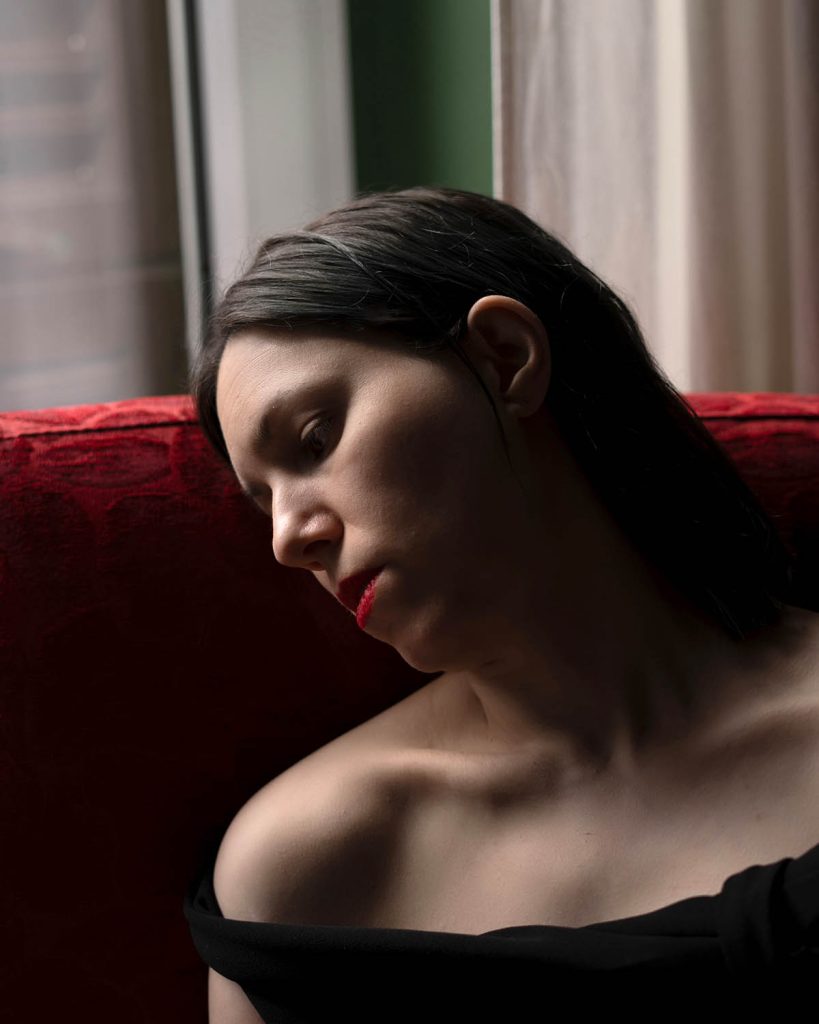
This is one of the most beautiful lighting options, especially if you use a large window with indirect lighting.
You can simply place yourself next to the window at an angle.
If you want to brighten up shadows on the other side of your face, you can use a piece of white cardboard or a reflector.
Here’s one of my self portraits using window light:
I’ve actually written two in-depth articles on using window light: check out this post with general tips, and this post for using window light in a more creative, cinematic way.
4.2 Artificial Lighting
To be honest, I usually prefer using artificial lighting for my self portraits.
This is simply because it gives me more creative control and options.
Many photographers are put off by using artificial lighting, but it really doesn’t have to be complicated.
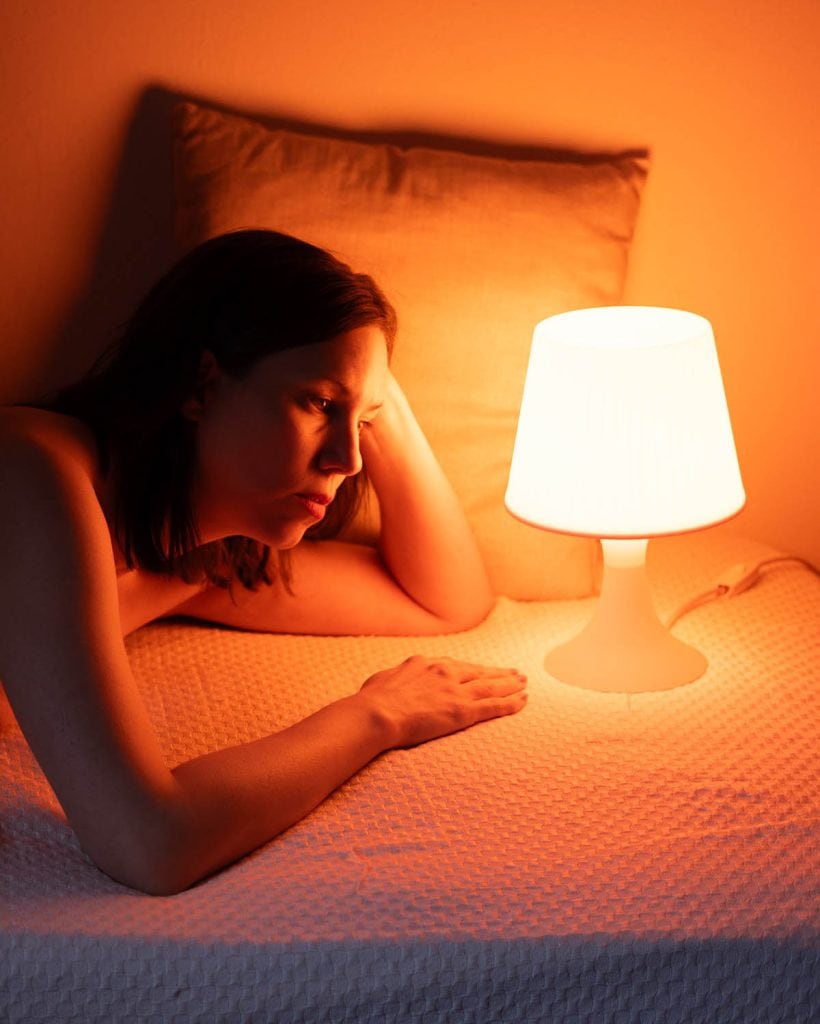
For example, I mostly use one light source (a LED video light or a simple studio strobe) with a softbox or other attachment.
In fact, you can already do A LOT with simple household lamps like in this picture:
I would highly encourage you to learn the basics of artificial lighting for your self portraits in photography.
Don’t be intimidated by all the complicated gear-you really dont need much for amazing images.
If you’re ready to learn more about artificial lighting, check out my in-depth post here.
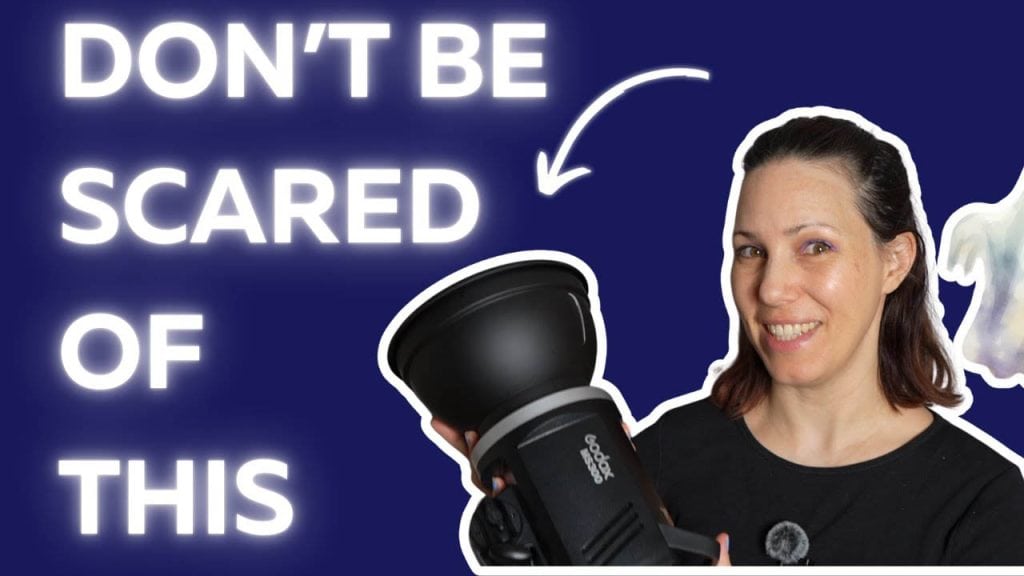
I’ve also made a YouTube tutorial about artificial lighting, which you’ll find below:
5. Developing a Concept or Theme
Next, let’s talk about developing a concept or theme for your self portrait shoot.
First of all, this is absolutely not essential.
Many self-portrait photographers I know work spontaneously.
They don’t develop a concept beforehand but simply grab the camera whenever they feel inspired to take a photo.
Personally, I like working with a concept or theme for my self-portrait shoots because the photos often turn out a bit more interesting and layered.
There are many ways to develop a concept or theme for photo shoots.
For example, you can base your shoot around an emotion, a particular aesthetic, an issue you care about, an aspect of yourself you want to explore, and so much more.
Once you have found a topic or theme to inspire your shoot, you can deepen your idea by using mood boards, word associations, or mind maps.
I’ve actually written several in-depth posts about this topic, so I won’t go into more detail here; check out the following posts for further reading:
- Conceptual Self Portraits: Turn Your Ideas into Powerful Images
- Expressive Self-Portrait Photography: How to Take Meaningful Self-Portraits
- Photography Storytelling: How to Creative Visual Narratives
Also, I’ve written a book about self-portrait photography that goes into great detail regarding conceptual self portraits; check it out below:
My Ebook: The Self-Portrait Guide!
Would you like to learn more about self-portrait photography? Then check out my ebook now! Topics include:
- how to use natural and artificial lighting
- essential gear you’ll need for self-portraits at home
- idea-finding techniques to develop concepts for photo shoots
- how to edit, export and print your images, and more!

In the next section, let’s talk about posing for self portraits!
6. Posing for Self Portraits
Let’s dive into another important aspect of self portrait photography…posing!
This is actually the one I struggle with the most.
I’m not a professional model, and often it takes me a while to find the right angle or pose for my shot.
What helps me a lot is copying poses I find on Pinterest, as well as using a phone app for remote shooting, because I can see myself on the screen and adjust my pose.
You can even study classical painting for posing inspiration; in the old times, subjects were often painted in very flattering, elegant poses that have stood the test of time.
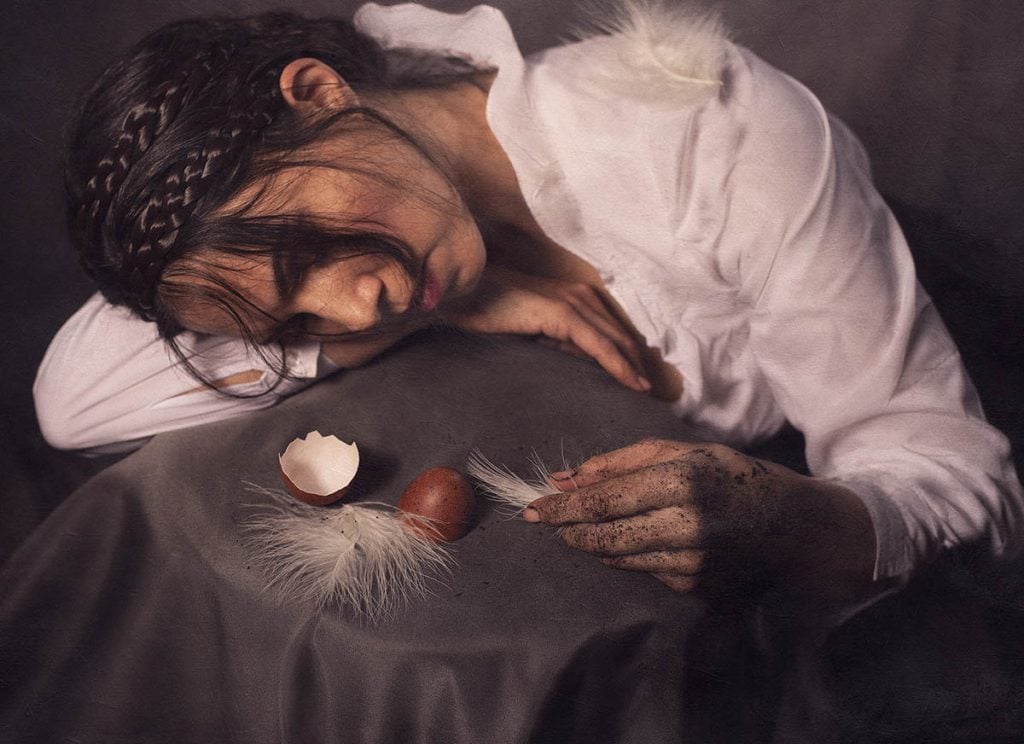
One of My Self-Portraits with a Pose Inspired by a Classical Painting.
I’ve actually written an in-depth article about posing with lots of example pictures.
Check it out here to learn more!
7. Post-Processing & Editing
OK, so you’ve taken your self-portraits…the next step is post-processing and editing.
Of course, this is totally optional–there is no rule that says you have to edit your pictures.
However, I tend to edit all my pictures at least slightly to fix small issues or optimise basic values like exposure, brightness, or contrast.
I also usually retouch my skin and fix general issues, like straightening up the image or cropping out details.
For editing, you can use free phone apps like Snapseed or desktop-based software like Lightroom or Photoshop.
These days, all editing apps and software are AI-powered, meaning you can use tools like the clone stamp, remove tool, etc., to easily remove distracting details or fix the background–often with one tap or click.
One thing you may want to invest some time in is learning how to colour grade; it’s not difficult, but it will really give your self-portraits that pro look.
You can check out my previous post on colour grading to learn the essentials.
One last tip: If you’re planning to do heavier editing or want to achieve professional results and high image quality, I recommend you only shoot in RAW.
As mentioned in the section about cameras, this is an uncompressed file format with the most image information available, giving you the best image quality even with heavy editing.
And that’s it! I hope you found this post helpful.
Leave me a comment with any additional tips for self portrait photography, and connect with me on Instagram @desireesydow.photography!