
Would you love to learn how to use artificial light in photography?
Then read on because today’s blog post is a crash course in lighting for your home studio or small studio space.
By the way: I’ve also made a YouTube video about this topic, which you can find here.
But now, back to the blog post!
Just so you know: This post may contain affiliate links. As an Amazon Associate I earn from qualifying purchases).
First of All: Why Use Artificial Light in Photography?
There are plenty of photographers who never use artificial lighting – either because they take photos outside, like for example landscape or street photographers, or because they rely on natural window light in their studio space.
From my experience, a lot of photographers are put off by artificial lighting as they don’t know how to use it, or because they think it’s too pricey.
However, artificial lighting only has to be as complicated and expensive as you make it – you can take incredible photos with nothing more than a basic strobe and one reflector.
I actually favour artificial lighting for photography because it has so many benefits:
- You can take photos at any time of day without being dependent on daylight
- You can create all kinds of different lighting effects, e.g. painterly lighting à la Rembrandt
- You have complete creative control – you can create light and shade in exactly the areas you want
- You can simulate natural daylight, e.g. with a large softbox
In the next section, I will talk about the two main types of studio lighting.
Part 1) Overview: The two main types of Studio Lighting
First, let’s talk about the two main types of studio lighting:
1) Continuous Lighting
2) Strobe Lighting
I started out using continuous lighting. These days, I only use strobe lighting – I will explain why in the following sections.
1) Continuous Lighting
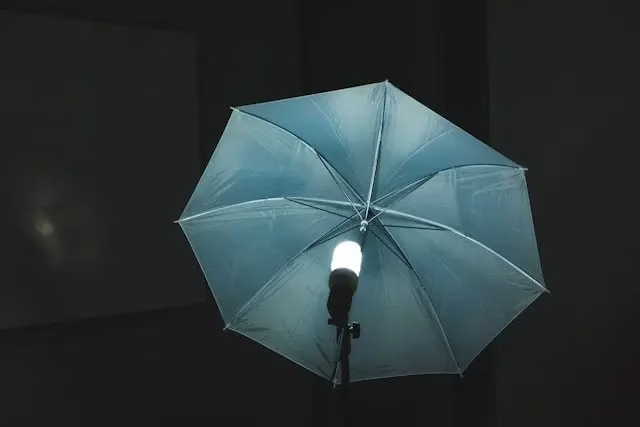
Continuous lighting refers to any light source that stays on after you’ve switched it on.
Here’s an example:
Advantages of Continuous Lighting
There are definitely some advantages to continuous lighting:
You Get a Preview of the Lighting Effect
This is probably the biggest advantage: When you set up continuous lights, they are on all the time.
As a result, you can see straight away how the light falls onto your subject and modify the position of the light source accordingly.
It’s Easier to Use
Continuous lights are very easy to set up and use – you just place them in the desired position and switch them on like a regular lamp.
This is also the reason why these lights are very popular with beginners.
Cinematic Look
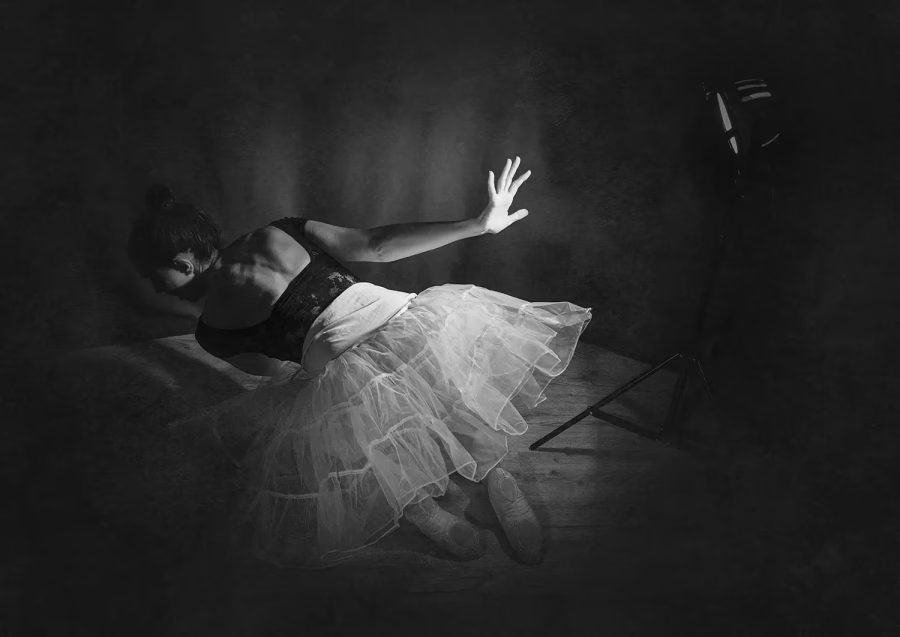
Another advantage of continuous lights is that they can give you a beautiful cinematic look.
Check out this photograph I took with one continuous light (the light source is actually part of the picture so you can see it):
Even with all these advantages, I still recommend you learn how to use strobe lighting because it’s simply way more powerful and versatile. Also, continuous lighting has a few disadvantages:
Disadvantages of Continuous Lighting
The Lights Get Very Hot
Continuous lights get very hot, which can be uncomfortable for the model and potentially melt materials around the lamp or burn you (it’s happened to me!)
Fewer Lighting Options
It’s hard to achieve certain lighting effects that require more powerful light sources, e.g. high key lighting (a brightly lit subject with a lot of fill light)
Doesn’t Overpower Ambient Light
Since continuous lights are not as powerful as strobes, you will have trouble drowning out disruptive ambient light.
2. Strobe Lighting
Strobe lighting refers to power packs that sync with your camera and deliver a flash when pressing the shutter button.
Hence, the light isn’t on all the time, but only fires for a very brief moment while you take a picture.
Strobes come in many shapes:
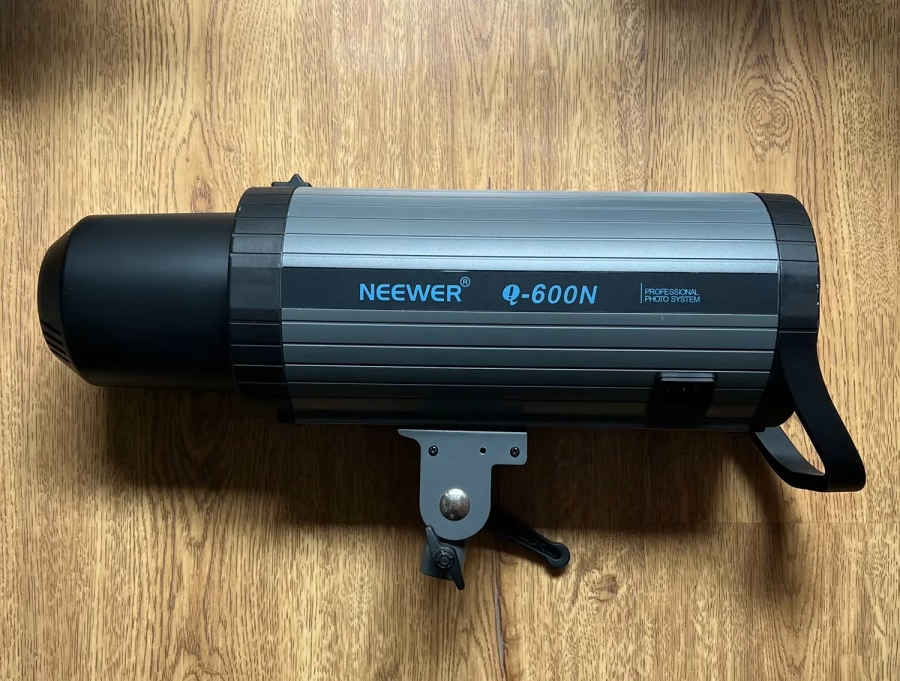
You can use a speed light that you attach on your camera, for example, or a so-called mono-block which combines the power pack and strobe head into one unit. That’s what I use and recommend – here’s an example:
Advantages of strobe lighting
There are many advantages to strobe lighting, which is why it’s widely used by professional photographers:
Very Powerful
Strobe lights are extremely powerful. This is important for many lighting situations, especially if you need a lot of light or want to drown out ambient light from windows etc.
Lower ISO
Since strobes are so powerful, you can keep your ISO (light sensitivity of the sensor) low, resulting in higher quality shots with less grain.
More Versatile
I’ve found strobe lights to be much more versatile – you can achieve anything from very brightly lit to moody painterly photos, depending on which modifier you use (more about modifiers later in the article).
Disadvantages of Strobe Lighting
Naturally, strobe lighting also has some disadvantages:
No Preview of the Lighting Effect
Strobe lights do have a so-called modelling light, a small bulb that shows you at least the direction of light.
However, you will only see the full effect of the light once you take the picture, so you will need to take some test shots before your shoot.
Sync Speed
With most cameras, there is a maximum shutter speed you can use with strobe lights (usually, this is 1/200 of a second).
If your shutter speed is higher, you end up with a photo that’s half black – this is actually the visible shutter of the camera which didn’t have time to “get out of the way”.
If you want to check this maximum shutter speed for your camera, you can Google “maximum flash sync speed for xxx” (insert your camera model).
Requires a Syncing Device
The last disadvantage of strobe lights is that you can’t just use them on their own.
You will need a syncing device that you connect to the hot shoe of your camera. This seems a bit complicated, but it’s very straight forward, I promise!
By the way…do you like taking portraits? Then check out my free portrait photography ebook below:
Free Ebook: 50 Portrait Photography Ideas
If you need fresh inspiration for your portrait photography, download my e-book which contains 50 creative ideas and projects for portrait photography.

…but now, back to the blog post!
Part 2: Principles of Studio Lighting
Next, let’s talk about the principles of studio lighting.
By the way, you don’t need an actual studio for this – I use artificial lighting in my living room 🙂
If you’ve ever seen footage of professional photographers in their studio, e.g. fashion photographers, things can look pretty overwhelming, what with all this gear and equipment.
However, don’t let this intimidate you.
You actually only need to understand a few lighting basics to get started, which I’ll explain below.
1) Soft Light vs Hard Light
In photography, you can achieve very different effects depending on whether the light falling onto your subject is soft or hard.
Hard Light
When I talk about hard light, I mean light that is not diffused but focused.
It casts harsh shadows with a very defined edge between light and shade.
Examples are:
- Bright sunlight around noon
- Direct flash from your camera
- A light source with a reflector without diffusion, like this one below:
This is probably a type of lighting you won’t use much in your studio space – that’s because it’s quite unflattering, at least when photographing people.
Since the light is not diffused, it casts very harsh shadows in the face, e.g. under the eyes and nose. This is generally regarded as unflattering.
However, there are photographers who love this kind of lighting and have used it extensively, e.g. the German photographer Jürgen Teller.
Soft Light
Soft light refers to light that is diffused in some kind of way, resulting in no hard shadows and a softer transition between light and shadows.
Outside, this is what happens on a cloudy day – the clouds act as a natural diffuser.
In the studio, you can use all kinds of helpful tools to achieve this kind of light.
Some examples are:
- Softboxes
- White umbrellas
- Beauty dishes
Soft light is thought of as flattering because it makes imperfections in the skin much less visible.
So, to sum up, you want to remember these general rules of thumb when it comes to soft or hard light:
You Can Make Light Harder by:
- Using a smaller light source: The smaller the light source, the harder the light
- Focusing the light: The more tightly focused the light rays, the harder the light. For example, if you were to shape the light from a light source with a cardboard tube, it would be harder than without tube
- Using reflectors/modifiers without light diffusing material, like the one I showed you above
You can make light softer by:
- Using a modifier with light diffusing material at the front, eg. a softbox
- Using a bigger light source
- Moving the light source closer to your subject
2) Position of the light source – where are the shadows?
The next thing to keep in mind when it comes to artificial lighting is the position of the light source.
For example, it could be:
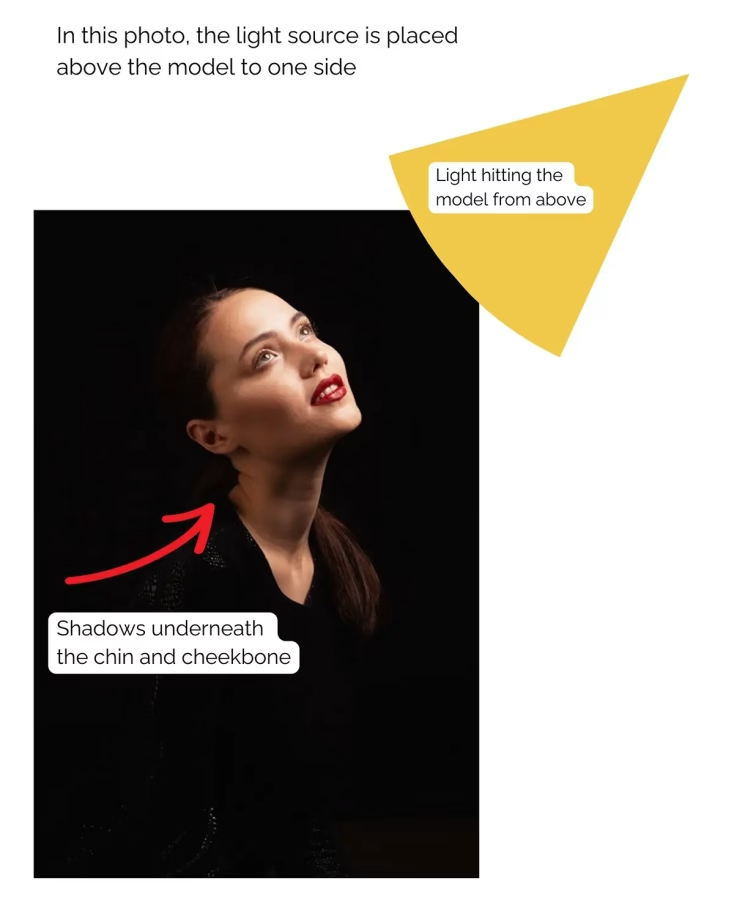
- Above the model at an angle
- In front of the model
- In front at an angle, e.g. 45 degrees
- Behind the model, facing forward
Side note: You usually wouldn’t place a light source under the model, lighting the face from below – this results in a very demonic, scary look used in horror movies.
(Fun fact: This is because we’re not used to seeing people in this way – usually, light sources like the sun or artificial lighting hit the face from above, never from below).
When working out where to position the light source, you always need to think about shadows.
Here are some scenarios:
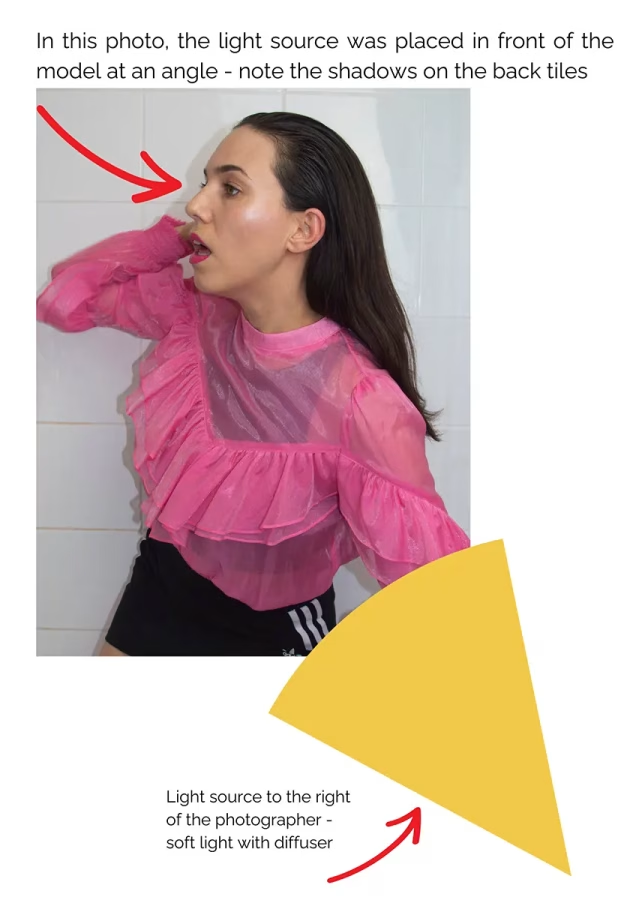
- If you put the light in front of the model at an angle of 45 degrees, it will light mainly one half of the face (the one that’s facing the light). The contrast will be greater the harder the light is.
- If you want to soften the shadows on the side that’s facing away from the light, you can use a reflector or white foam board to bounce the light back onto the model’s face – more about that in the next section “Modifiers”.
- If you place the light directly in front of the model, the whole face will be evenly lit.
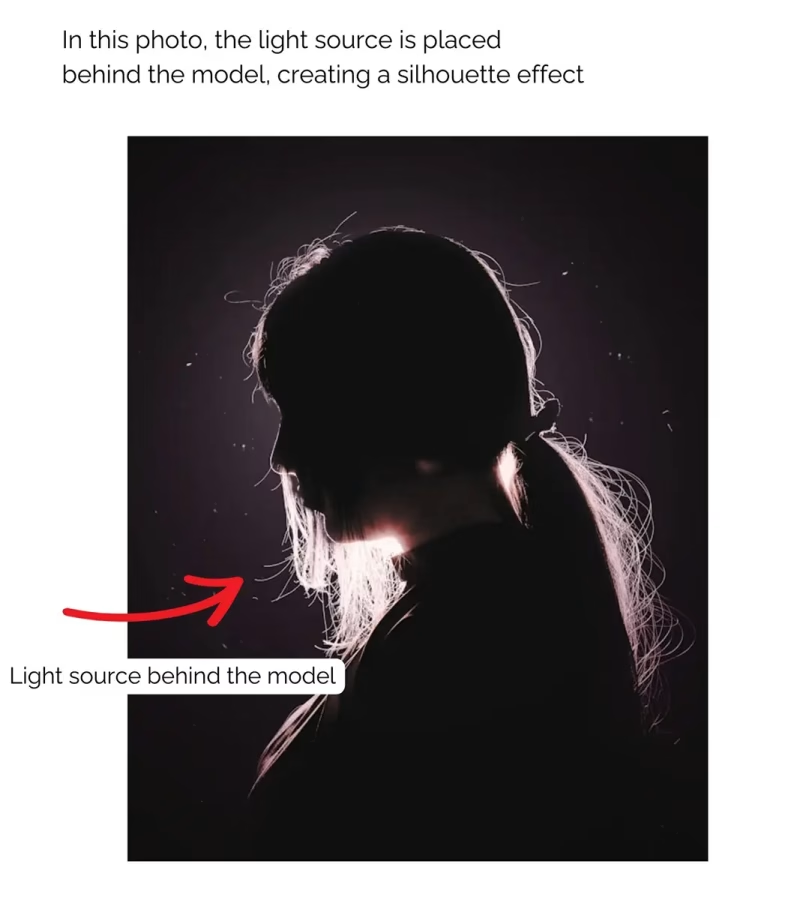
- If you place the light behind your model facing forward, the model is lit from behind, creating a silhouette effect.
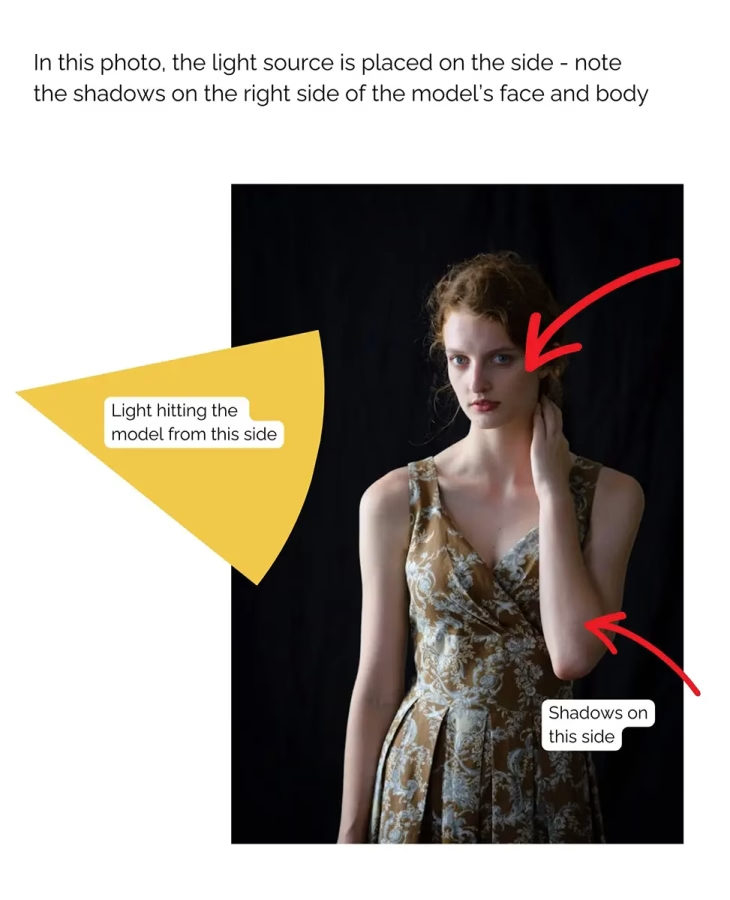
Here are some example portraits demonstrating different lighting situations. In general, you can always guess where the lighting source was by studying the direction of the shadows in the face and on the background:
Example 1: Light placed in front of the model
Example 2: Light placed on one side of the model
Example 3: Light placed above the model at an angle
Example 4: Light placed behind the model
What this means in practice
When it comes to your shoot, first think about which effect you want to achieve.
- Do you want the model to be evenly lit without any shadows and low contrast? Then place a large, soft light in front of the model
- Do you want to create a portrait with a bit more contrast? Then place your light to the side at an angle and brighten up the shadows with a reflector
- Do you want to create a more moody, painterly photograph with high contrast? Then place a light on one side and don’t brighten up the shadows on the other side
Just keep in mind how light and shadows work:
Light always travels in a straight line, and the shadows are influenced by the angle of the light and the intensity of the light source.
If you place the light in front of your model, the shadows will be behind them, which is why the skin will look flat, without contrast and shadows.
If you place the light at an angle on the side, the shadows are falling onto the other side of the face.
Lastly – shadows are not always a bad thing.
For some photographs, you will want to eliminate dark shadows in the face, because they can be harsh and unflattering (like in beauty portraits, for example).
Other times, a half-lit face will be exactly the effect you’re going for, like when you’re trying to achieve a moody character portrait.
3) Quality of light: Modifiers
The final thing you have to know in regards to artificial lighting is how to modify the light.
Using tools such as softboxes or flags (I’ll explain more about this further below), you can:
- Make the light softer/more flattering
- Shape the light to direct it where you want it
- Block light from reaching areas where you don’t want it
1. Modifiers for softer/more flattering light
For most photo shoots, you’ll probably use some kind of softbox or other light diffusing modifier.
These make the light much softer, resulting in fewer harsh shadows and even skin.
Here are some options:
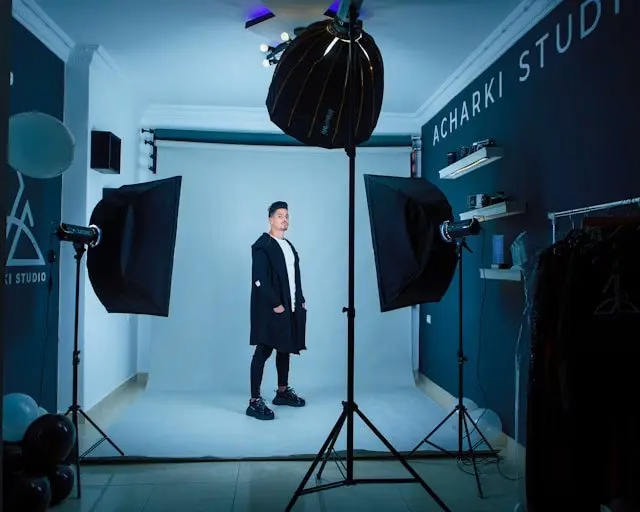
- Softboxes – these come in all kinds of shapes and sizes, e.g. round, octagonal or square.
- Umbrellas – these are usually attached to your strobe
- Beauty dishes – a modifier with a parabolic reflector and light diffusing material that gives a flattering, but more contrasty effect
- Reflectors: one of the simplest tool to create a more flattering light – simply bounce the light from your light source back onto the model to brighten up shadows
If you don’t have a modifier at home, you can place some white, translucent material in front your light source, e.g. a shower curtain.
2) Light shaping modifiers
Sometimes, you may want to shape the light – for example, to achieve an effect like in this photo below:
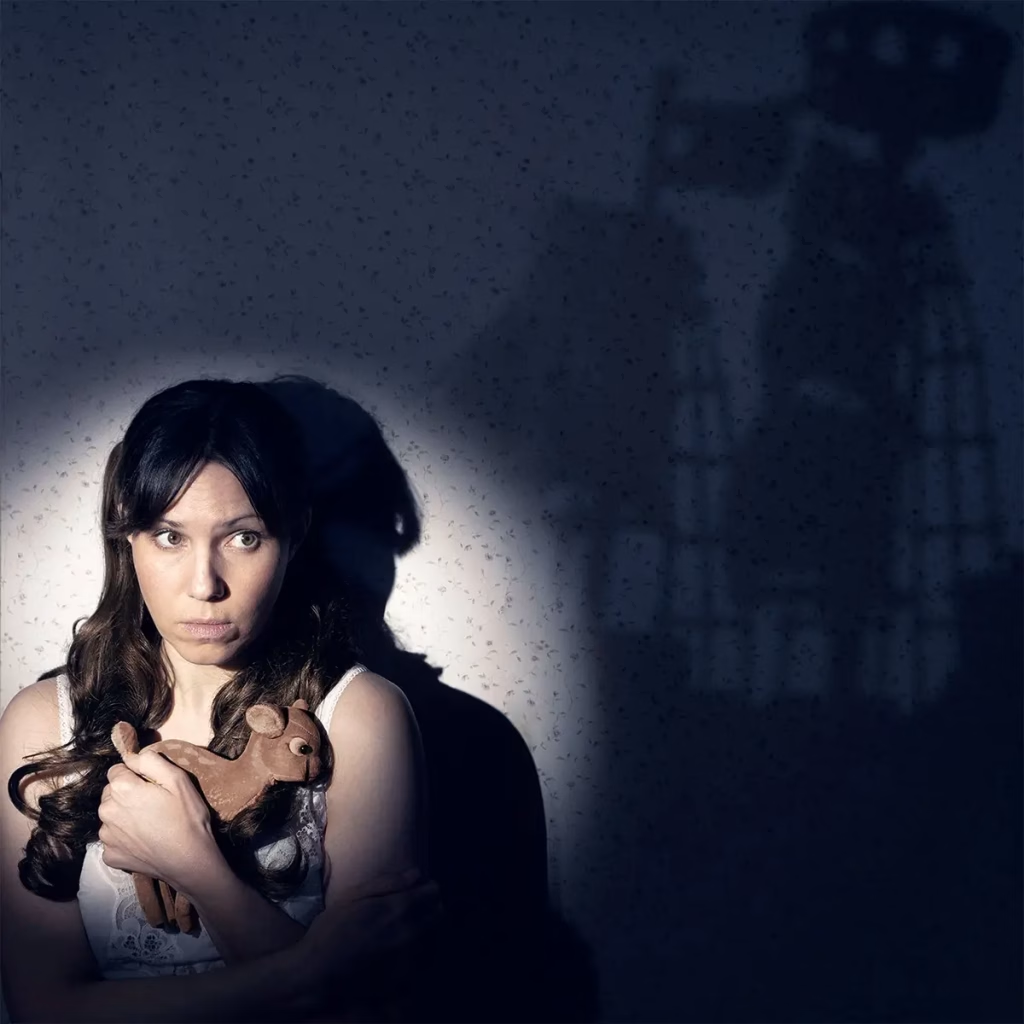
You can do this with a so-called snoot, a cone shaped device you attach to your strobe.
Another way to do this is using a light with barndoors, like this one.
There are even so-called spotlight attachments available, which are great for product photography.
3) Light blocking modifiers
Finally, you may want to block or restrict light in certain cases – maybe you want light on your model, but not on the background, for example.
In that case, you can use darkened panels, so-called flags (or simply pieces of blackened foam board) to block light from certain areas.
Another great tool for restricting light are honeycomb grids, named after their grid structure.
These are simply attached to your softbox or other modifier and prevent light spill to the sides. I love them because they create a very artistic, painterly effect.
And that’s it for my artificial lighting crash course!
If you need some pointers for strobes, modifiers and more, make sure to read my article on essential gear for studio photography – you can find it here!
P.S.: Do you like taking portraits or self portraits? Then check out my free 7 day email challenge below:
Free 7-Day Cinematic Portrait E-Mail Challenge!
Do you want to master cinematic portrait photography in seven days? Then sign up for my free email challenge with a different creative prompt every day!
