
Do you enjoy taking self-portraits?
Then you may want to experiment with low-light self-portrait photography which can result in beautifully moody, atmospheric, and cinematic images.
In this blog post, I will share essential equipment and camera settings for low-light self-portraiture, as well as some tips on lighting and post-processing your images.
First, let’s talk about the artistic appeal of low-light photography.
1) The Artistic Appeal of Low-Light Photography
Have you ever taken a photo in low light with your smartphone?
Then you may have noticed that in dim lighting conditions, your phone usually autocorrects the exposure:
It makes the photo much brighter because it “thinks” you don’t want your image to look too dark.
However, in low-light photography, you’re trying to do the opposite:
You actually want to emphasise shadows and dark areas in the image in order to draw the viewer’s eye to certain elements.
Why Use Low-Light for Self-Portraits?
What makes low light so beautiful is that it evokes a range of emotions.
Depending on the type and placement of the light source, you can achieve a dramatic, mysterious, vulnerable, or introspective effect.
That’s because low light creates more pronounced shadows and contrasts that can help tell a story.
In contrast to high-key self portrait photography, where bright, even lighting eliminates shadows, low-light photography leaves certain areas of the image in darkness.
This gives your image more depth and accentuates shapes and facial features.
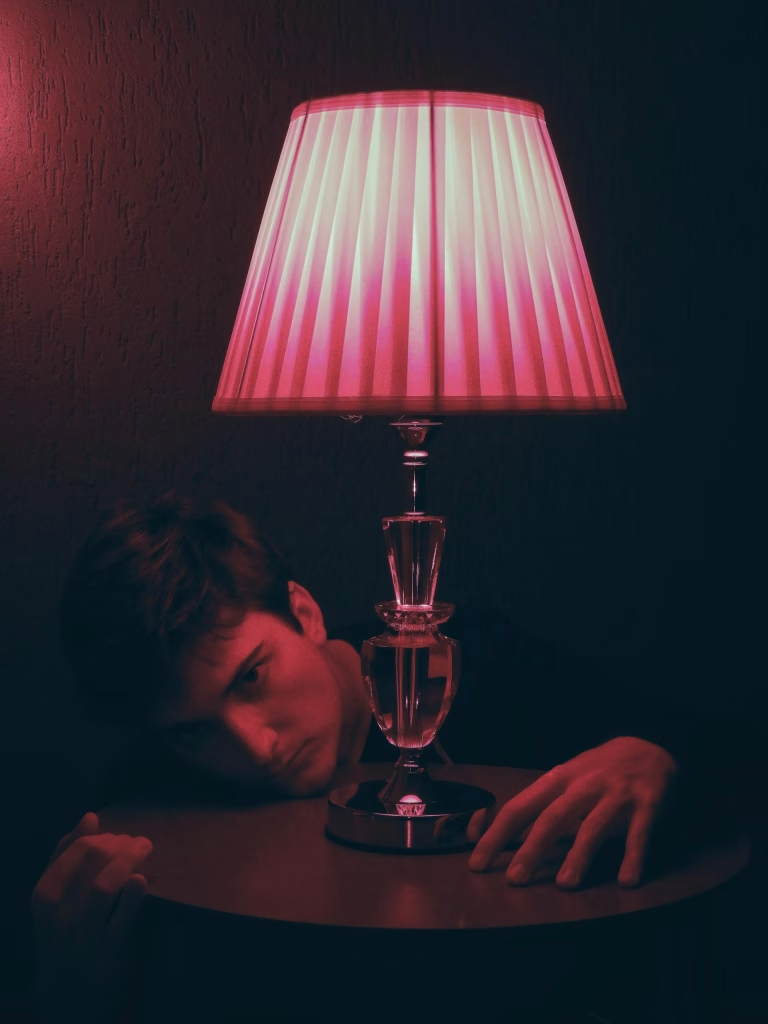
To achieve such an effect, you can use all kinds of soft light sources, for example, a small window, a candle, or a small lamp:
Challenges of Low-Light Photography
As beautiful as it is – low lighting also comes with its challenges, for example, blurry images, image noise/grain, or difficulties with focus.
However, there are strategies to avoid these issues, for example using a camera with good low-light performance and a tripod.
In the next section, I will share which gear you’ll need for taking low-light self-portraits.
2) Essential Gear for Low-Light Self-Portraits
You don’t have to buy expensive gear for your low-light self-portraits – I’m always a big advocate of starting with what you have.
However, if you can upgrade and invest in a few new pieces for your photography gear collection, I suggest the following items to improve the quality of your low-light photographs.
Camera
Regarding low-light photography, the right camera can make a huge difference.
Look out for a camera with excellent low-light performance, i.e. a sensor that can handle high ISO levels without introducing too much noise or grain.
Full-Frame Cameras
For shooting in low light, you may want to consider using a full-frame camera.
These are more expensive, but they can handle higher ISOs better and will produce clean images in dim conditions.
You will also get a better dynamic range, meaning you can recover details from shadows and highlights during post-processing.
Crop-Sensor Cameras
If you only have a crop sensor camera, don’t worry – you can still get good results if you pair your camera with wide apertures like f/1.4 or f/1.8 and the right exposure settings.
If you would like to get some recommendations for suitable cameras, check out my recent post on self-portrait photography cameras here.
Smartphones
You should still be able to take decent low-light self-portraits if you only have a smartphone camera available.
However, you could face some issues, like:
- The camera auto-corrects the brightness, making the shot brighter than you want
- Small sensors and lenses may not capture light as effectively as a dedicated camera
- Images may have more grain or a lower image quality in general
You may need to fix some of these issues in post-processing or introduce a slightly brighter light source.
Lenses
To achieve good results in low light, I recommend using a fast lens, i.e. a prime lens with a wide aperture like f/1.2, f/1.4, or f/1.8.
These will let in more light, meaning you don’t need to illuminate the scene as much as with a more narrow aperture.
If you need help understanding aperture, check out this blog post I recently wrote about the topic.
Tripod and Remote Shutter
In addition to using a wide aperture, you’ll also want to use a slow shutter speed.
This will let more light into the camera (read my in-depth post on shutter speed and ISO here).
The problem with using a slow shutter speed is that even the slightest movement can introduce motion blur if you hold the camera in your hand.
That’s why it’s much better to use a tripod to stabilise the camera so you can get away with slower shutter speeds without sacrificing sharpness.
Next, I recommend using a remote shutter, self-timer, or a phone app connected to your camera.
These enable you to trigger the camera without touching it, preventing accidental movement.
Most modern cameras offer Wi-Fi or Bluetooth connectivity, enabling you to sync them with a phone app that controls the camera shutter from your smartphone.
Alternatively, use the camera’s built-in self-timer or a wired/wireless remote.
Lighting
As the name suggests, low-light photography usually relies on minimal lighting, but you can still use a few strategic artificial lighting tools to enhance your self-portraits.
For this purpose, I recommend ring lights, small LED panels, or handheld lights – you can use them to subtly illuminate your face or add catch lights to your eyes or hair.
You can also use household items to create your lighting, for example, lamps, fairy lights, or candles.
If you want to defuse the light, you can drape a cloth or sheet over a lamp.
A great alternative to artificial lighting is natural light falling through the window, like moonlight or city lights.
3) Camera Settings for Low-Light Self-Portrait Photography
In the next section, I’ll explain what you need to know about camera settings when taking self-portraits in low light.
Understanding ISO
The ISO describes the light sensitivity of your camera sensor and is extremely important in low-light photography.
Generally, the darker the environment, the higher your ISO needs to be so that your camera captures more light.
However, you should always keep in mind that the higher the ISO, the higher the chance of noise or grain.
Grain is often particularly noticeable in the shadows and can reduce image quality.
That’s why, in low-light situations, you always want to try and find the perfect balance between a sufficiently high ISO and a tolerable amount of noise.
For most modern cameras, that balance should be somewhere in the 400-1600 ISO range.
If you’re shooting in a very dark environment, you may need to push the ISO up to 3200 or higher – in that case, you will get much better results with a full-frame camera than with a crop sensor or smartphone camera.
Aperture and Depth of Field
The aperture is the little opening in your camera lens that controls how much light enters the camera.
As mentioned above, it’s best to use a wide aperture in low-light situations to capture more light, as this means that you can keep the ISO lower.
However, keep in mind that wide apertures also create a shallower depth of field.
This means that only a small portion of the image is in sharp focus whereas the background is blurry.
This can be a beautiful effect, but it can also make focusing more challenging as you have to be in exactly the right place within the frame (the area that is in focus).
So, when using a wide aperture, take a few test shots to make sure that the desired area in the frame is sharp.
Shutter Speed
The shutter speed determines how long your camera’s sensor is exposed to light.
In low-light conditions, you’ll probably want to use a slower shutter speed (e.g., 1/30 or 1/15) to capture more light.
However, slow shutter speeds introduce the risk of motion blur if the camera or you move.
That’s why it’s important to use a tripod (or to place your camera on a steady surface) to keep your self-portrait sharp.
On the other hand, you can use slower shutter speeds for creative effects, such as capturing ambient light or introducing intentional motion blur.
Shooting in RAW vs. JPEG
Finally, I recommend you shoot in RAW file format (rather than JPEG) when taking low-light self-portraits.
RAW files preserve all data your camera captures, giving you more flexibility during post-processing as you can adjust exposure, noise, white balance, and other parameters without losing too much detail.
This is especially important in low-light conditions as you may need to recover details in the shadows or reduce noise.
4) Lighting Techniques for Low-Light Self-Portraits
Even though you won’t be working with bright lights in low-light self-portrait photography, you will still need some kind of light source to illuminate the scene.
Here are four different approaches you can take:
Working with Available Light
The easiest way to capture a low-light self-portrait is to simply use available light sources like lamps, candles, or ambient light from a window.
When setting up the camera, think about where to position yourself relative to the light source in order to achieve the best effect.
For example, you could sit or stand next to the light source to create dramatic side lighting or place it behind you to achieve a silhouette/backlighting effect.
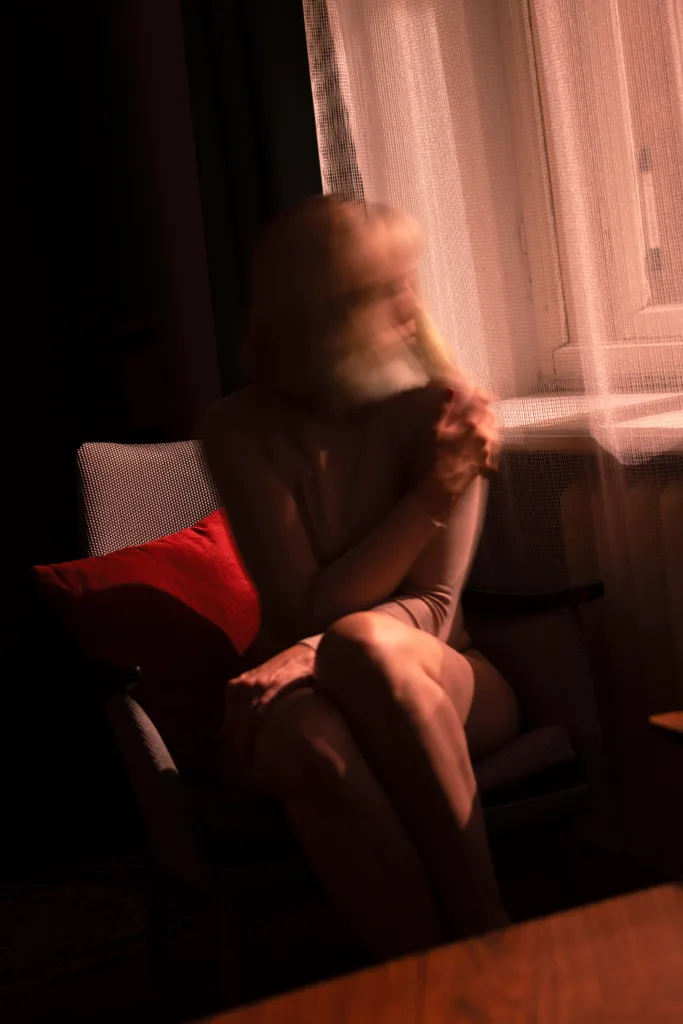
If you live in an urban environment, you can also make use of street lights, city lights, or other ambient light falling through the window, which I did in the photo below. It was taken without any other additional light source:
Using Artificial Light
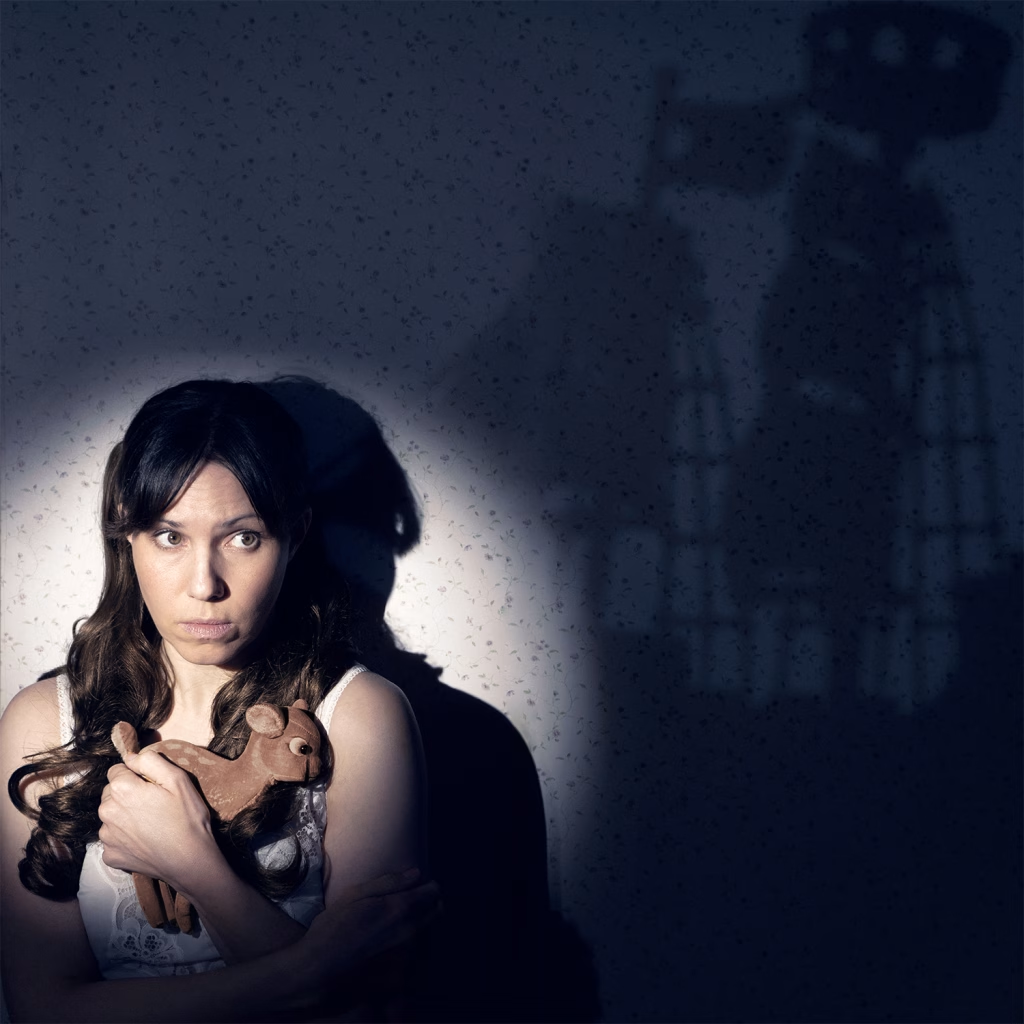
If you want a bit more control over your lighting, you can also use artificial lighting like small LED lights or ring lights.
You can strategically place these lights to highlight specific features of your face or body.
If you want to make the light softer, you can defuse it by draping a white cloth, bedsheet, or other material over it.
Long Exposures with Light
If you want to try a more creative approach, you can use a long exposure (slow shutter speed) to introduce motion blur, which will give your photo a dreamy, surreal, or even ghostly effect.
Another fun technique to try is light painting, where you use a flashlight or other small light source that you move around in the air to create trails or patterns.
You can capture these patterns by keeping the camera’s shutter open for several seconds.
Creative Use of Shadows
What makes low-light conditions so beautiful is that they create a lot of shadows.
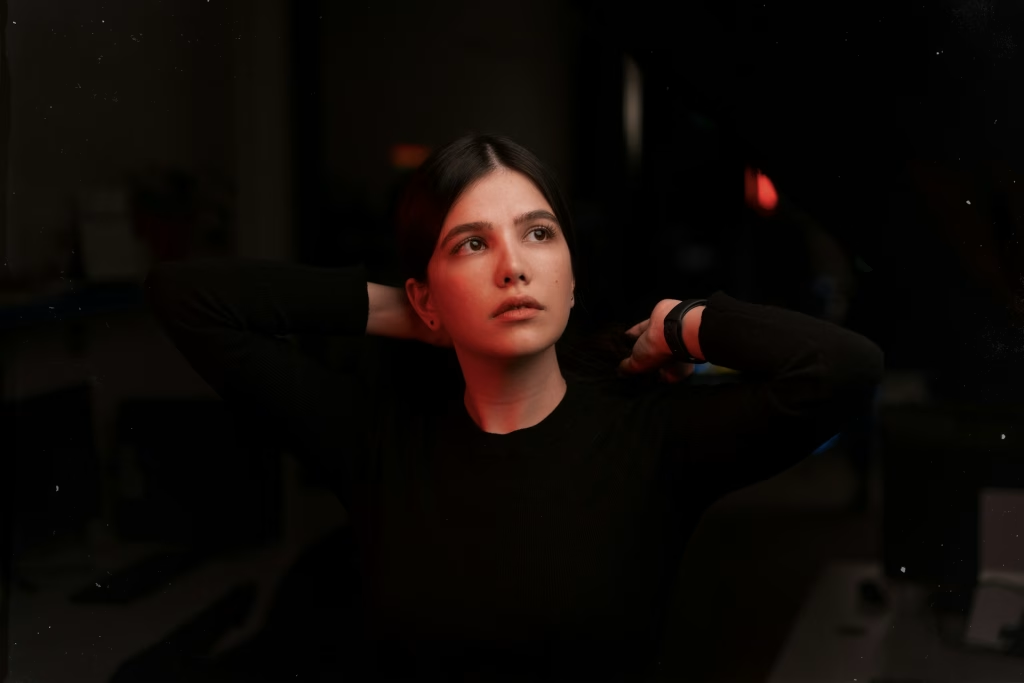
You can use those shadows to create very dramatic, cinematic results, for example by illuminating only parts of your face or body.
You can also use negative space (the area around you that is left intentionally dark) to emphasise sadness, isolation, contemplation, or melancholy.
Just a Little Interruption to Say…
Did you know I’ve written a free e-book with 50 self portrait photography ideas? More info below:
Free Ebook-50 Self Portrait Photography Ideas
Do you love self-portrait photography, but lack inspiration for your shoots? Then download my e-book with 50 ideas for self-portrait photography!

…but now, back to the article!
5) Post-Processing for Low-Light Self-Portraits
Finally, I wanted to include some notes on post-processing, as that can really help you refine and enhance low-light self-portraits, for example by reducing noise.
Here are some techniques for post-processing low-light photographs:
Noise Reduction
Low-light photography will often result in noise as you might have to shoot at a high ISO setting.
Almost every editing software will offer noise reduction tools – try adjusting the “Luminance” or “Noise Reduction” sliders to smooth out grainy areas.
Be careful though – don’t overdo it as too much noise reduction can make the image look overly smooth and artificial.
Ideally, zoom in on important areas like the face while applying this technique to make sure it retains a natural look.
I sometimes remove noise in the background areas but retain some grain in the face and on the skin by using masks in Photoshop.
Adjusting Exposure and Shadows
With low-light self-portraits, you often have the problem of the exposure being slightly too dark.
You can fix this in post-production by slightly brightening the image, revealingl hidden details in the shadow areas.
Again, try not to overdo this as you don’t want to wash out the colours.
If you want to make exposure adjustments in select areas only, you can use tools like the “Adjustment Brush” in Lightroom to brighten the eyes, for example.
In contrast, you can adjust the shadows or blacks to emphasise darker areas in your self-portrait.
Colour Grading
Next, you may want to consider colour grading your low-light self-portrait, i.e. adjust the hues in your photo to achieve a certain mood.
For example, warm tones like oranges and yellows can give you a much more intimate, cosy feel, while cooler tones like blues and purples create a sense of drama or mystery.
If you want to learn more about colour grading and the best colour grading tools in Photoshop, check out my previous post here, or watch the following video tutorial:

Cropping and Framing
Finally, you can crop the image to refine your composition.
Use a tighter crop to emphasise intimacy or a wider crop to include more of the environment if this contributes to the narrative of the image.
And that’s it for today’s post! I hope you found these tips helpful. I would love to see your low light self portraits – feel free to share on Instagram and tag me @desireesydow.photography!