How I Shoot Artistic Self Portrait Pictures: A Full Breakdown
Are you wondering how to take artistic self-portrait pictures?
Do you want to take meaningful, creative photographs of yourself, but don’t know how to find ideas and how to actually take your own picture?
In my new blog post, I describe my exact process for taking artistic self portrait pictures, from idea and character development to shooting and editing. Let’s dive in!
(Just so you know: This post contains affiliate links. As an Amazon Associate I earn from qualifying purchases).
Part 1: Idea and Concept Development
1.1 Finding Inspiration
For me, every self portrait starts with a specific idea or concept.
I know other self portrait photographers who work differently:
They may notice beautiful light falling in from the window and spontaneously start to pose, finding inspiration through the process of shooting.
I have a more conceptual approach:
I like to first come up with an idea and develop a “character”, as it were, before starting to take photos.
My process looks something like this:

I would say that idea generation is the most difficult and at times frustrating phase of taking self portraits.
However, over the years I’ve found some great strategies for coming up with ideas.
I’ve actually written a whole article on the topic, which you can check out here, so I’ll keep it brief in this article:
I usually get inspired by words, other artworks (particularly paintings), emotions (either my own or universal emotions) and even photography techniques, such as slow shutter speed.
Sometimes, I get inspired by certain aesthetics, like a “pink dreamy feminine aesthetic”, for example, which will then dictate lighting and location choice.
Either way, it all starts with some kind of idea, which becomes the “skeleton” or starting point from which I further develop my concept for my self portrait pictures.
To make this a bit less theoretical, I will illustrate my process on the basis of this self portrait:

My original idea was to bring out my “alpha female” alter ego.
I wanted to express the wild, confident, and assertive aspect of myself that, sadly, is not so easy to access in everyday life; by nature, I’m a more introverted and sometimes shy person.
Once I had come up with the idea of “alpha female”, I then moved onto the brainstorming/moodboard phase.
1.2 Brainstorming/Moodboard
Once I have an idea, I will try to “fluff it out” and develop it into a fully formed concept.
I have different approaches depending on the original idea, but here are two techniques I often use in combination:
Create a Mindmap
Write your idea in the middle of a piece of paper, then brainstorm any other words you associate with it.
For my idea of “Alpha Female”, my word associations might be:

Why this works: Photographs are still images, so you need to be able to express your idea through visual storytelling elements, i.e. makeup, props, colours, etc.
Creating a mind map will give you lots of ideas for these elements.
For my Alpha photograph, I had the idea to use red smudged lipstick and red pointy nails.
This was meant to express the idea of a wild, almost feral woman “taking what she wants”, metaphorically devouring prey.
Before I get to the next section…did you know you can download my free ebook with lots of ideas for self portrait pictures? More info below:
Free Ebook-50 Self Portrait Photography Ideas
Do you love self-portrait photography, but lack inspiration for your shoots? Then download my e-book with 50 ideas for self-portrait photography!

…but now, back to the blog post!
Do Some Research
Do some visual research based on your idea.
I like using Pinterest because it’s so user-friendly, and you can save all images in one place.
Staying with my example, you could search for “strong woman portrait”, “strong portrait pose”, red aesthetic“, “alpha female”, etc.
Also, with the Alpha picture, I knew early on I wanted to create a more fashion-type picture, so I used specific search terms like “red lipstick”, “glossy editorial makeup”, and so on.
Finally, find some poses you would like to recreate and make a little posing moodboard for your self portrait pictures.
Why this works: Almost every artist will tell you that they get inspired by other artists’ work.
By looking at lots of photographs on Pinterest, you will begin to identify certain elements that resonate with you–a specific lighting setup, makeup, or pose, for example.
You can then interpret these elements in your own way.
1.3 Creating the Character
Once I have some kind of framework for my self portrait photograph in place, it’s time for the fun part: creating a character.
I know that sounds weird–after all, self portrait photography is defined as taking a photograph of yourself, not some other character.
However, I do find that it helps to create an actual “character” when shooting self portraits.
This character could be you, or it could be someone else.
Either way, you want to think about how you can realise that character in your image through:
- Make-up
- Clothing
- Props
- Wigs/hair styling
In my Alpha picture, as mentioned, I opted for red lipstick and red nails.
I also bought a black wig in reference to the “wild panther” idea.
Next, I decided to shoot topless–I felt that the naked skin was an important stylistic device for this self-portrait.
In regards to your own self portrait, you obviously don’t have to use make-up, props and so on, you could simply shoot yourself just as you are.
However, I find that character creation can really help you fine-tune your concept and make your image more interesting–plus it’s also really fun!
By the way, if you need some inspiration for this type of character creation, research self portrait artist Cindy Sherman who is known for slipping into different roles for her photographs.
1.4 Lighting and Setup
The final step before actually taking your photo is figuring out setup and lighting.
You can use your reference pictures for this if you’re unsure.
Some examples might be:
- Simple even daylight, e.g. from a window
- Cinematic style light from a small desk or floor lamp
- Coloured light, e.g. using a coloured gel or colourful light bulb
- Shadows, e.g. from a window blind
- Simple portrait lighting: one light source and one reflector
If you’re just starting out or have no professional lighting gear/studio available, you can simply shoot your self portrait pictures at home using window light.
This works really well and delivers beautiful results; check out my post with five easy window light setups here.
You can even make your own light modifiers, like softboxes and reflectors, from cheap materials. Read all about DIY lighting solutions in this post.
If you do want to start using professional studio lighting, such as flashes and softboxes, you can absolutely do that at home as well.
(I shoot all my self portraits in my living room!).
I’ve written a detailed post about essential gear for a home studio (that doesn’t break the bank) – you can find it here.
I usually use one or two studio flashes (very rarely three) and either a softbox or a beauty dish.
I choose the lighting depending on the mood I want to create.
For Alpha, I wanted a very flattering, soft light, so I used a huge octagonal softbox on one and a small softbox on the other side.
Finally, decide where you’ll take your photo.
You can use your room as a backdrop, or you can create a neutral space by hanging up curtains or fabric behind you.
Part 2: Time to Shoot!
After all this brainstorming and developing your idea, it’s now finally time to take your self portrait.
Since taking your own picture can get a little tiring, given that you’re photographer, model, stylist, makeup artist and set designer in one, I like to do things in a particular order.
I’ve found out over the years that it makes the most sense this way.
Here’s how I structure my shoot day (packed into a nice little graphic 😊):

Basically, I spend the evening before the shoot doing some quick prep work, like charging my camera batteries and making sure I’ve got all the gear I need.
(I once ran out of batteries for my flash trigger mid shoot, and it was the most frustrating moment ever, having to interrupt my flow to go to the shop and get some!)
On the day itself, I always set up the studio space and lights first and then take some test shots in my regular clothes.
Once I’m happy with lighting and pose, I apply my makeup or change my outfit.
This way, once I’m “in character”, I can jump straight into my “set” and start shooting.
Once I’ve taken a good amount of photos and think that I’ve got a good shot, I will upload the images to my PC or laptop and have a look at my favourites.
This is quite important because you can’t always see on your camera screen if a photo is properly in focus.
If I realise that I didn’t get a great shot yet, I hop back in front of the camera and take a few more.
Some other tips for your shoot day:
2.1 Use a Remote Shooting App
The absolute hardest part of taking self portrait pictures is getting the focus right.
The best solution I’ve found so far is using an app on your phone.
You connect it to your camera via Bluetooth or WIFI and can then use your phone as a remote trigger.
This is a great option because you see yourself on the phone screen and can adjust your posing or position in the frame.
Additionally, you can tap on the screen where you want your focus to be.
If you choose this option, make sure to set your camera to autofocus/face recognition mode.
Also, if you want to have both hands in the frame, make sure to set the app to self timer (I use a 3-second delay), so you have time to remove the phone from the frame.
If your camera doesn’t have WIFI compatibility or there is no such app available, there are other options–read more about this in my previous article here.
By the way…if you want to dive deeper into all aspects of self portrait photography, you might like my self portrait ebook:
My Ebook: The Self-Portrait Guide!
Would you like to learn more about self-portrait photography? Then check out my ebook now! Topics include:
- how to use natural and artificial lighting
- essential gear you’ll need for self-portraits at home
- idea-finding techniques to develop concepts for photo shoots
- how to edit, export and print your images, and more!

…but now, back to the blog post!
2.2 Put on Music
I always put on music – it really gets me into the flow and makes it easier to act out certain emotions in front of the camera
2.3 Use Reference Images for Posing
If you’re not sure how to pose, you can refer back to your pose moodboard and try to precisely recreate one or more of them.
It often helps to work from a picture, and the more you do it, the more natural your posing will become.
2.4 Take 10 Extra Frames
Keep going just a little bit longer than feels comfortable.
I have noticed that often the very best shot is in the last ten frames, when I actually don’t feel like it anymore.
2.5 Be Flexible
Don’t be afraid to deviate from your concept:
Sometimes, I decide on a certain pose and lens choice, only to realise mid shoot that it isn’t working at all.
In such cases, just take a break and then change your lighting, camera angle, lens or pose until you’re happy.
Some of my best photos are the result of a frustrating first round of shooting where I threw my whole concept overboard and ended up with a completely different pose than originally planned.
I promise to keep this blog completely ad-free so you can read without distractions. If you want to support my work, buy me a coffee: It’s a small gesture that makes a big difference!
Part 3: Editing
Finally, here are some tips for post-production!
3.1 Don’t Skip This Step: Back Up Your Photos
If there’s one thing to take away from this article, let it be that backing up your photos is imperative.
After every shoot, I copy all images from my memory card to an external hard drive and save them in a specific folder.
I love this hard drive from Samsung, or try this budget version.
500GBP is well enough, I’ve had mine for ages and have still not run out of space.
3.2 Image Selection in Lightroom
Next, I open Lightroom and do a “pre-selection”:
I mark all possible contenders for the final photo choice by hitting “P” (Pick) on the keyboard.
The ones I definitely don’t like get marked with an “X” and then deleted from the hard drive.
After that, I move all selected photos into a “Collection” in Lightroom.
Now I can navigate straight to that collection and choose my two or three favourites.
I then take a day or so to rest and come back with fresh eyes in order to be able to pick the one shot I will actually go on and edit.
Obviously, you don’t need to use Lightroom if you don’t like it.
You could also use Bridge or an alternative image cataloguing system (or none at all).
Just make sure you back up your original RAW file somewhere other than your camera card and PC.
3.3 Editing in Photoshop
The penultimate step is editing the file in Photoshop.
I tend to do quite detailed edits because I love that highly retouched look.
I will also always do some colour grading in order to achieve the particular aesthetic I want.
For example, with Alpha, I really intensified the reds and changed the originally blue background to mint green (a complementary colour of red).
I also made my skin much whiter than it is in reality by decreasing the yellow and red tones (read more about colour grading here).
And that’s it for today’s post! I hope you found it helpful – let me know in the comments which tip resonated with you!
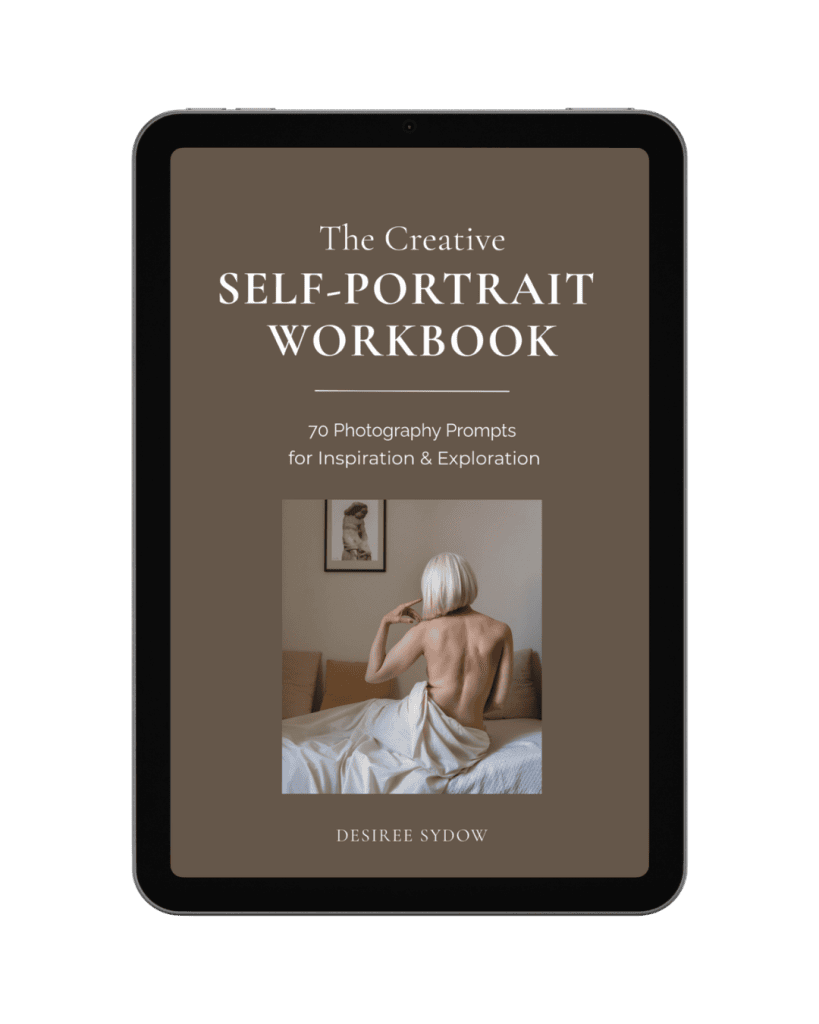
PS: Before you go…check out my new ebook, a practical self portrait photography workbook with 70 prompts and ideas:
Get Fresh Inspiration For Your Self-Portrait Photography
Discover new ways to approach self-portrait photography through creative prompts exploring symbolism, storytelling, painterly techniques, mixed media, and emotion.