
After looking at the aperture last week, this week’s blog post is dedicated to shutter speed and ISO.
Once you understand these three camera settings, you’ll be able to confidently shoot in manual mode, which gives you so many more creative options than just using auto mode.
Also, mastering ISO, shutter speed and aperture is essential if you ever want to take photos with an analogue film camera – for example, I have an old Leica from the 1950s on which everything has to be set manually, and it would be a real shame if I couldn’t use it because I’m stuck in auto mode!
Great, so what will be covered in this week’s blog post?
- I will first explain what the ISO rating is and how to choose the right one
- After that, I’ll talk about shutter speed and the exposure triangle
- Lastly, I’ll share some great creative uses of shutter speed, e.g. creating motion blur and panning shots
Let’s get into it!
PartI: What is ISO?
First of all, what actually is ISO?
To really grasp this, you’ll need to understand how a camera works.
I explained this in detail in last week’s post, so here’s the short version:
When you take a picture, light reflected back from the subject hits a light sensitive surface in your camera, creating a light pattern with light and dark areas (which is then converted into an image in the darkroom or digitally).
In the old days, this light sensitive surface used to be a roll of film:
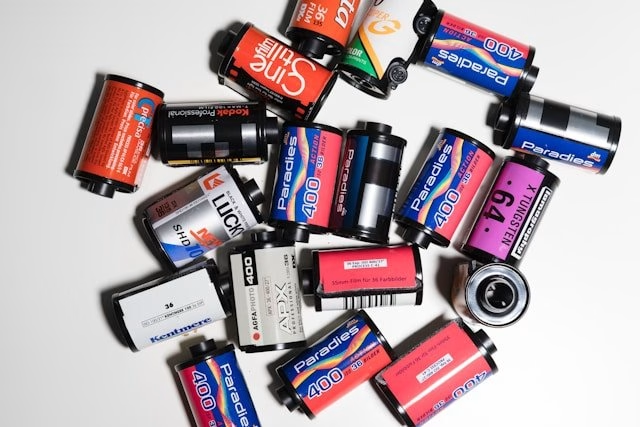
Film used in photography contains microscopically small, light sensitive silver halide grains.
As soon as these grains are exposed to light, a photochemical reaction happens and an image gets recorded.
But think about it – on a bright sunny day, for example, there is a huge amount of light available compared to a dark room, so how could that light sensitivity of the film be suitable for any condition?
The answer is, it isn’t, which is where ISO comes in.
In simple terms, ISO (or “the ISO rating”, as it is called), refers to how light sensitive that film is.
The least sensitive film is ISO 100 because the silver grains are very small.
A highly sensitive film such as ISO 1600 has much bigger, chunkier silver grains and thus is more light sensitive.
So, to repeat:
- Low ISO, e.g. ISO 100 – small silver grains, not very light sensitive
- High ISO, e.g. ISO 1600 – large silver grains, very light sensitive
Given that ISO 1600, for example, is very light sensitive, you may argue that you could simply stick to a high ISO film and never worry about underexposed (too dark) photos again.
Unfortunately, the high light sensitivity comes with a trade-off:
Because the silver grains are physically larger, the resulting image will have visible grain, little blobs in the picture like this:
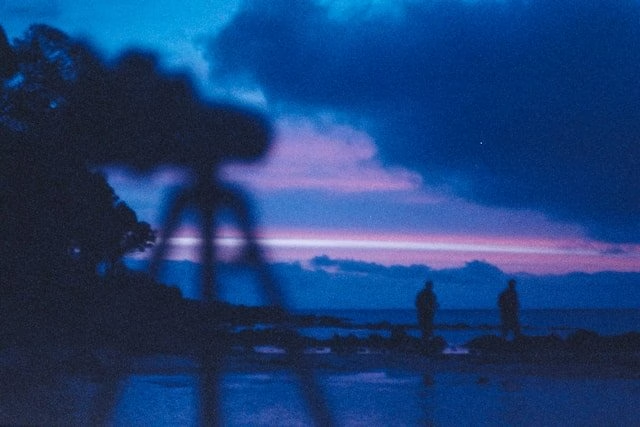
Some people like this effect, but in general, you will want to keep the grain as small as possible.
So, to sum up, the most important ISO facts:
- Low ISO = not very sensitive to light; fine grain
- High ISO = more sensitive to light, more visible grain
By the way, in case you’re wondering why it’s called ISO – this is because these numbers are standards set by the International Organization for Standardization (ISO), hence the name!
What this means for digital photography
Now, of course most photographers these days don’t shoot on film anymore.
Instead, cameras now contain a digital sensor – just like film, this is light sensitive and records the light reflected from your subject.
Instead of having to actually buy a roll of film with the right ISO, you can simply choose a setting on your camera dial corresponding to the different ISO ratings.
The most common ISO values are 100, 200, 400, 800, 1600, and 3000. However, modern cameras can have values as low as 50 and as high as 25,600, for example.
How to choose the right ISO
Choosing the right ISO is the same no matter if you’re shooting with a film or digital camera:
You choose the ISO depending on available light conditions.
Here are some guidelines:
- Bright sunny day: ISO 100
- Overcast day shooting outside: ISO 200, ISO 400
- Indoor setting with less amount of light: ISO 400, ISO 800
- Very low light conditions, e.g. at dusk: ISO 1600, ISO 3200, ISO 6400+
Sometimes, you have to compromise on ISO depending on the other settings of your camera (aperture and shutter speed) – this is related to the exposure triangle. I will explain this in the second half of this article 🙂
Part 2: Shutter Speed
Having looked at aperture (in the last blog post) and ISO, let’s now dive into the third main camera setting: the shutter speed.
What is shutter speed?
To explain what shutter speed is, let’s go back to the principles of how a camera works.
I already mentioned that when you take a photo, light falls into the camera and onto the light sensitive surface.
Now, you have to somehow limit how much light actually gets in there, as too much light results in an overexposed image (essentially a totally blown out, white picture).
To do this, the camera uses two mechanisms:
- the aperture, meaning the opening in the camera lens
- the shutter, a little curtain in the camera body, that lifts the moment you press the shutter button (the main button you take photos with)
Shutter speed, then, refers to the actual time that little shutter curtain remains open.
For example, at a shutter speed of 1 second, the shutter will let in light for one second.
Anything faster than a minute will be indicated as fractions of seconds, e.g. 1/2 = half a second, 1/500 = one-five-hundreth of a second, and so on.
How to choose the right shutter speed
OK, so how do you know which shutter speed is the best one for your photograph?
First of all, here are some general guidelines:
- You usually use a fast shutter speed, from around 1/250 sec and up, if your object is in motion
- For fast moving subjects, such as cars, birds, cyclists etc, you would ideally use an even faster shutter speed like 1/2000 sec, 1/4000 sec and above
- If you’re taking a portrait or self portrait, it’s also good to keep the shutter speed fairly fast to avoid motion blur…1/200 sec handheld is a good start
- If you use a tripod, you can go lower, like 1/15th sec and up, because the camera is more stable – see next paragraph “How to avoid camera shake”
How to prevent camera shake
One thing you have to watch out with shutter speed is to avoid unintentional camera shake.
When you hold the camera in your hands (rather than place it on a tripod), you will inevitably move around a little bit, simply because you’re alive and breathing 🙂
The resulting photos will be blurry and out of focus with indistinct edges.
The rule of thumb if you want to avoid camera shake is to use a shutter speed at least as fast as the focal length of your lens.
That sounds complicated, but it’s actually very straight forward:
If you’re using a 50mm lens, choose 1/50 sec and up; for a 300mm lens, choose 1/300 sec and up, and so on.
If you can’t use such a fast shutter speed because there isn’t enough light available, simply use a tripod.
As mentioned above, a tripod is a more stable base, which means you can get away with a much slower shutter speed and still get sharp photographs.
Creative uses of shutter speed: ICM/motion blur and panning
As I always like to say:
The correct exposure isn’t always the most interesting.
What do I mean by that?
Well, you don’t always need to determine the technically correct setting.
Sometimes, you may want to intentionally use a particular setting in order to achieve creative effects, and the shutter speed gives you lots of options for that.
Let’s look at some of those now!
ICM (Intentional Camera Movement)/Motion Blur
The first is using either intentional camera movement (you’re moving the camera while taking the shot) or motion blur (the subject is moving while you take the photo).
Have a look at this example below – to achieve the blurry effect, I used a slow shutter speed and moved my head while taking the picture:
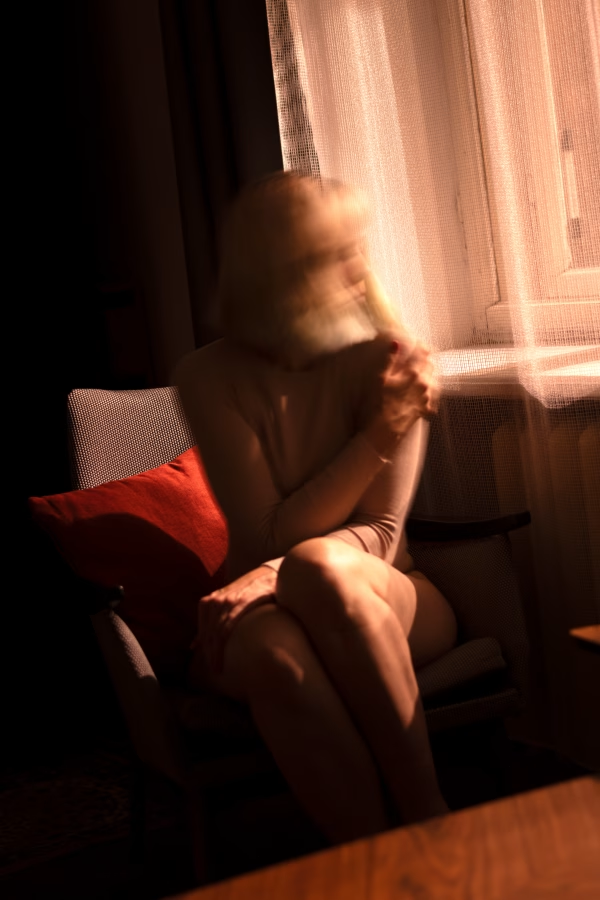
I love the unsettling, almost ghostly look this creates.
If you want to achieve this effect, try setting your camera to ISO 100 in shutter priority mode and choose a shutter speed of around 1/2 sec or lower.
You really need to experiment with this, as the effect always looks different!
It may take quite a few attempts to get it right, and the best shots are often happy accidents.
Panning
Another great creative use of shutter speed is panning.
Have a look at this photo:
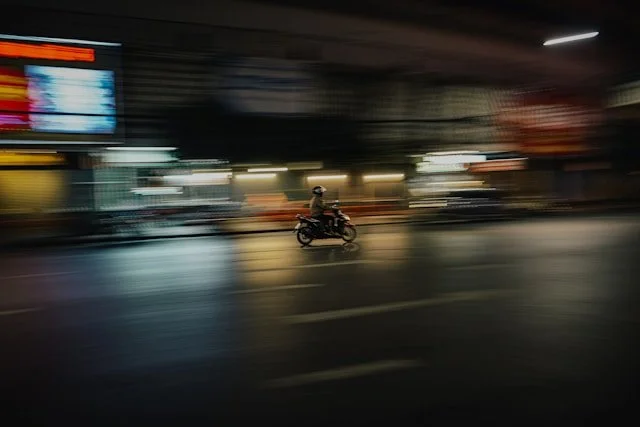
You can see that the subject is reasonably sharp whereas the background is blurry.
Just like motion blur, you may need to take quite a few shots to get it right.
How to take panning shots
Find a moving subject, like a bird in flight, a car, etc.
Try starting with a shutter speed of about 1/60 sec. Panning shots are taken in the following way:
- Look at the subject through the viewfinder
- Once the subject enters the frame, start pressing the shutter button repeatedly (or set the camera to burst mode)
- While you’re taking the picture, you’re following the movement of your subject with your lens in an even sideways motion. You’re doing this by rotating your upper body, your feet and lower body stay facing the subject
Here’s a Youtube video that explains the process in detail.
Putting it all together: The exposure triangle
By now, I’ve talked about:
- ISO
- Shutter speed
- Aperture (in the last blog post)
These are the three main elements you need to know and understand in order to shoot in manual mode rather than auto mode.
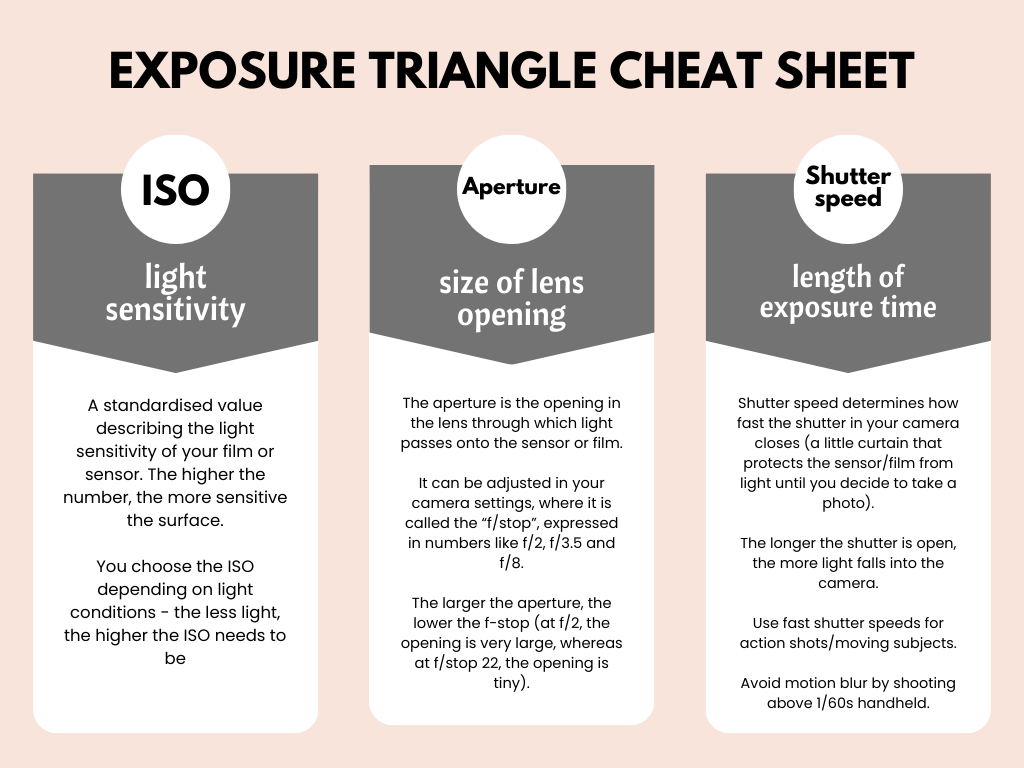
In photography, these three elements are commonly grouped together as “The exposure triangle”.
Here’s a little overview/cheat sheet:
How to use the exposure triangle
So, what’s the point of the exposure triangle?
Well, ISO, aperture and shutter speed are grouped together because they are interrelated – if you change one of the three, the other two will also be affected.
I’ll give you an example:
Let’s say you’re taking a portrait of your friend on a nice sunny day.
It’s bright outside, so you set your camera to ISO 100.
You also want the background to be blurry, so you choose a large aperture – something like f/stop 2.8.
But of course a large aperture means that a large amount of light is entering your lens.
As a result, you can’t also use a slow shutter speed, because that would let in too much light, resulting in an overexposed picture.
Instead, you will have to choose a fast shutter speed (letting in less light) to balance out the low ISO and large aperture.
The exposure triangle in practice
To sum up:
Mastering the exposure triangle simply means understanding the interplay between ISO, shutter speed and aperture.
Every time you take a picture in manual mode, consider the lighting conditions and then choose suitable settings.
I like to start with the ISO because it’s the easiest one – simply go for the lowest one you can get away with (because higher ISO means grainier images, which you usually want to avoid).
Next, choose either the shutter speed or aperture, depending on light and subject, e.g. a fast shutter speed for a moving subject, a large aperture for a portrait with a blurry background, an so on.
Then, adjust the last remaining setting depending on what you adjusted in the previous step. For example, if you chose a fast shutter speed (little light), you may need to open up that aperture and let more light in (so that the photo won’t be too dark overall).
This may sound complicated, but you will grasp this really fast – simply experiment with a few different settings and keep checking your display until you have an exposure you’re happy with.