
Have you noticed that cinematic portrait photography has been quite a trend on social media?
I often research Pinterest or Google search trends to generate ideas for new content, and lately, I’ve noticed a huge demand for cinematic photography tips.
I actually love taking cinematic self-portraits, so I’ve been excited to see this topic featured more than usual (and straight away decided to include it in this week’s blog post).
In this article, I briefly explain what makes a portrait cinematic.
Then, I share five super easy lighting setups for creating atmospheric portraits that look like movie stills.
The best thing: You can recreate them at home using no or only minimal gear!
By the way: I’ve also made a YouTube video about this topic, which you can find here.
But now, let’s get started!
(Just so you know: This post contains affiliate links. As an Amazon Associate I earn from qualifying purchases).
1. First…What Even is Cinematic Portrait Photography?
By now, you may be wondering what exactly defines cinematic portrait photography, so let’s talk about that.
In general, it’s pretty easy to determine whether a photo is cinematic.
Just look at the image and ask yourself the following question:
Does it look like a frame or a still from an actual movie?
Generally, the photograph should seem part of a larger narrative and leave the viewer wanting to discover the rest of the story.
How to Make a Photo Look Cinematic
To achieve the cinematic look, photographers often use:
- moody, directional light
- dramatic lighting & shadows
- a shallow depth of field (blurred background)
- cinematic colour grading
- a wide aspect ratio such as 16:9
- visual storytelling
Of course, your cinematic portraits don’t have to include all these elements–these are just some examples of handy tools that enable you to achieve that cinematic look.
In the following section, I share five specific lighting setups you can experiment with at home to achieve a cinematic look in your portraits.
2. Five Cinematic Portrait Photography Lighting Setups
The following lighting setups couldn’t be easier–no studio lighting required!
Let’s start with gorgeous, window side lighting.
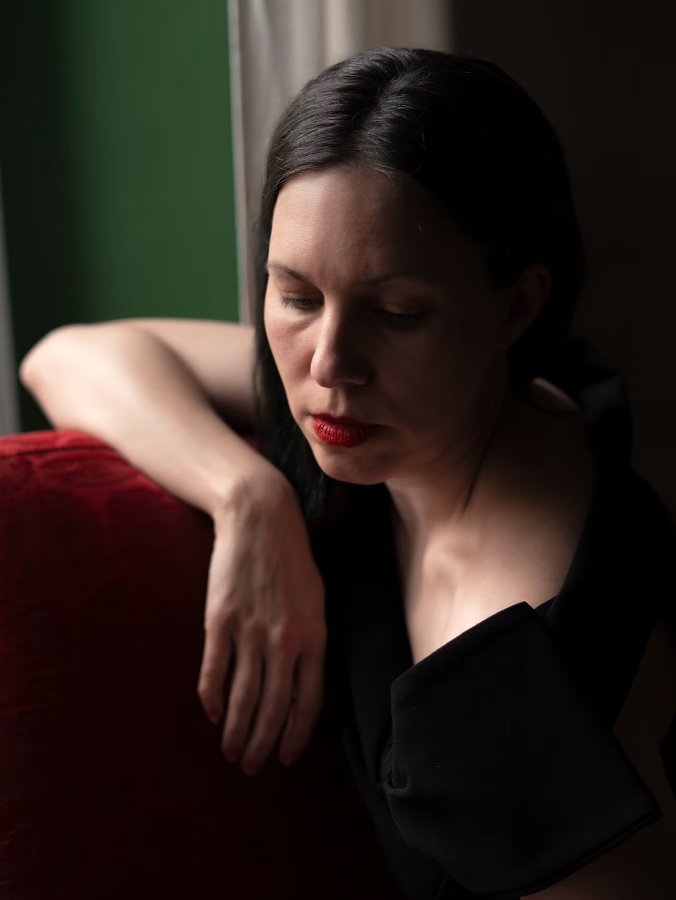
2.1 Moody, High-Contrast Light
I love this lighting set-up because it’s not only extremely easy but also creates very atmospheric portraits that look almost like paintings.
What You’ll Need
All you need for this set-up is a window with natural light.
The light should be even and diffused, so don’t place your model in direct sunlight, as this will create harsh shadows.
Instead, use a window without direct sunlight and shoot during the morning or afternoon.
Model Placement
Start by placing your subject at a 45° angle to the window to achieve a strong contrast between light and shade on their skin.
In this position, one half of your subject’s face will receive much more light than the other, creating that moody, intense look with deep shadows under the cheekbones and chin.
You can ask your subject to turn even further away from the window to intensify the effect.
If you find the shadows a bit too dark, you can use a reflector or a piece of white cardboard to brighten them up a little.
My Camera Settings
The settings for this image were:
Camera: Sony Alpha 7 IV, 50mm prime lens.
Settings: manual mode, 1/60s, f2.5, ISO250.
Post-Production in Photoshop
For post-production, I first retouched the skin using the plug-in Portraiture by Imagenomic.
I also increased the exposure a little bit.
In terms of colour grading, I increased the saturation of the red and green tones of the chair and the wall, as I really loved the contrast between these two complementary colours.
In turn, I decreased the saturation of the red and yellow tones in the skin to make it look more porcelain-like.
(I made all these colour grading adjustments using the Selective Color tool in Photoshop).
I also used the adjustment layer Color Look-up, which contains different colour grading templates.
With these templates, it’s best to decrease the opacity quite a bit to make the effect look more natural.
2.2 Backlighting/Silhouette
Let’s move on to another one of my absolute favourite lighting setups, and that is backlighting.
In traditional photography, you’re usually told not to shoot into the light i.e. with the light source behind the subject.
This is because, with this kind of lighting, the subject is often not properly exposed and looks overly dark.
However, for our purposes of creating a cinematic portrait, this lighting is absolutely perfect because it creates a very mysterious, moody vibe.
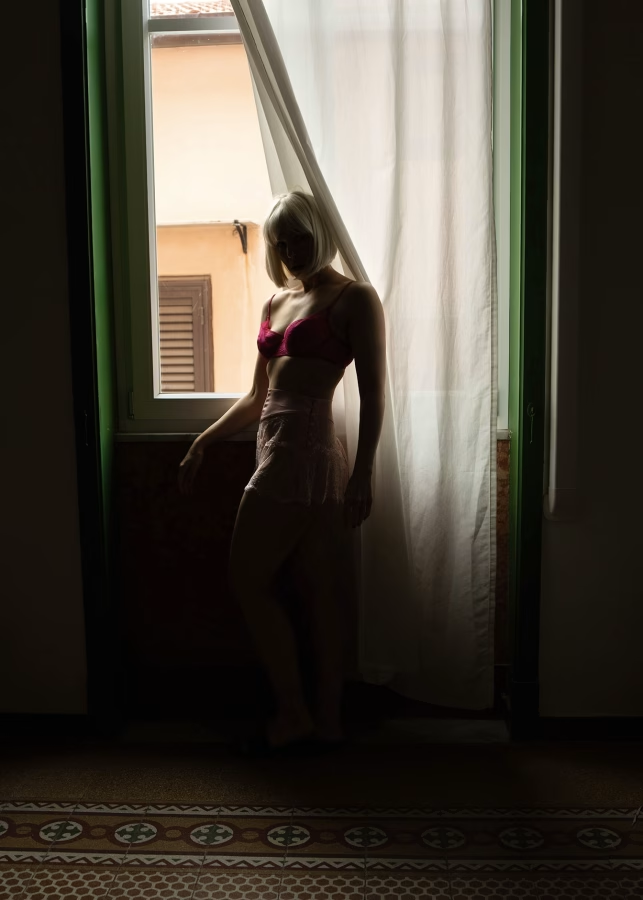
Here’s a self-portrait I shot using backlighting:
What You’ll Need
For this kind of effect, you need a window with natural light.
The time of day doesn’t matter too much; I shot my self-portrait around noon.
Generally, the brighter the light, the stronger the contrast will be.
Model Placement
Place your subject in front of the window so the light is directly behind them.
The more your model turns to the front (towards the camera), the darker their features will be.
Conversely, if they turn away from the camera toward the window, their contours will become increasingly lit.
You can see this in my photo–there are light accents on my hair, arm and thigh.
My Camera Settings
The settings for this image were:
Camera: Sony Alpha 7 IV, zoom lens @32mm.
Settings: manual mode, 1/60s, f4.5, ISO500.
With this kind of light, you’ll want to expose for the background to emphasise the shadows on your subject.
Post-Production in Photoshop
With this image, I didn’t actually do much post-production.
I did crop the image and tried to straighten it up overall.
Due to my lens choice of 32 mm, the image has some distortion, but I didn’t mind it here because it adds to the uncomfortable, slightly eerie atmosphere.
By the way, if you like cinematic photography, you might be interested in my free seven-day cinematic portrait email challenge–more info below:
Free 7-Day Cinematic Portrait E-Mail Challenge!
Do you want to master cinematic portrait photography in seven days? Then sign up for my free email challenge with a different creative prompt every day!

But now, back to the blog post!
2.3 Light Patterns
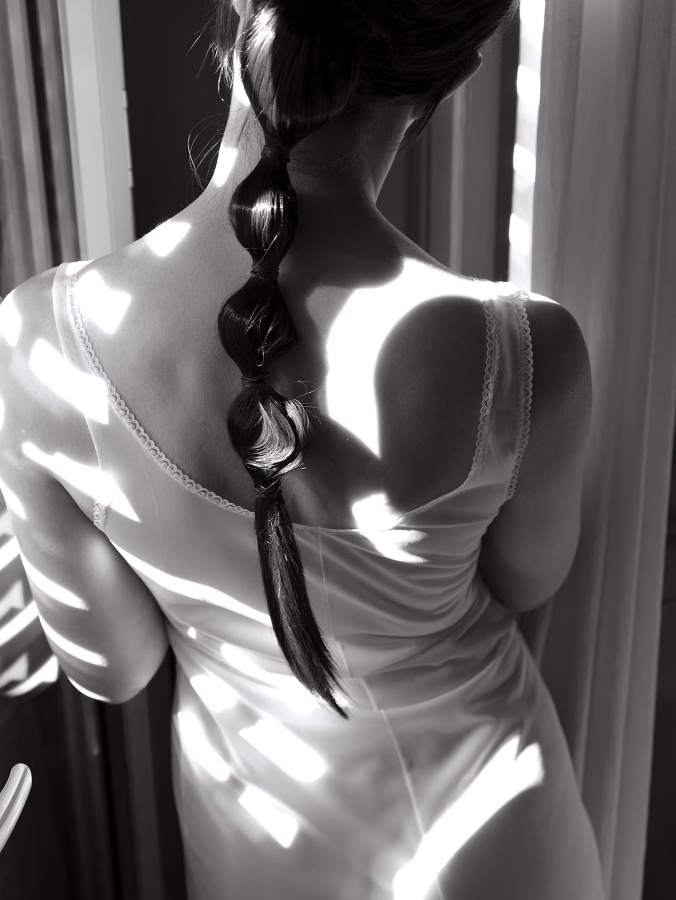
The third cinematic portrait lighting set-up you can try is direct light in combination with blinds, plant leaves or any other objects that create shadow patterns.
This is an iconic lighting set-up used in many movies, for example by Alfred Hitchcock.
You can do this in colour, but I suggest converting your image to black-and-white to really enhance the effect and make it more timeless.
Here’s my image:
What You’ll Need
To achieve this effect, it’s best to shoot on a sunny day so the shadows are defined and there is more contrast.
It also works better in the morning or afternoon.
Next, you need an object to cast shadows–this could be window blinds, leaves, or even a piece of lace fabric.
If you don’t have any window blinds but want to recreate the effect, you can use a piece of cardboard:
Cut slits into it at an even distance, and then place the cardboard between the window and your subject.
Model Placement
Ask your subject to sit or stand so that the shadow patterns fall on their skin.
In my case, I had to stand quite close to the window for the light patterns to be visible on me.
My Camera Settings
The settings for this image were:
Camera: Sony Alpha 7 IV, zoom lens @35mm.
Settings: manual mode, 1/80s, f5, ISO100.
Post-Production in Photoshop
This image didn’t require much work in post-production at all.
I reshaped the faux ponytail using the Liquify filter and converted the image to monochrome.
I also increased the exposure slightly and played around with curves to achieve a nice balance of highlights and shadows.
2.4 Low-Light Portrait Using a Household Lamp
For the next image, I used one of the easiest light sources ever–a simple household lamp.
People are often intimidated by artificial lighting because they think they have to use a studio flash, a softbox, or other pro gear.
However, when going for a low-light shot, you don’t need fancy gear at all.
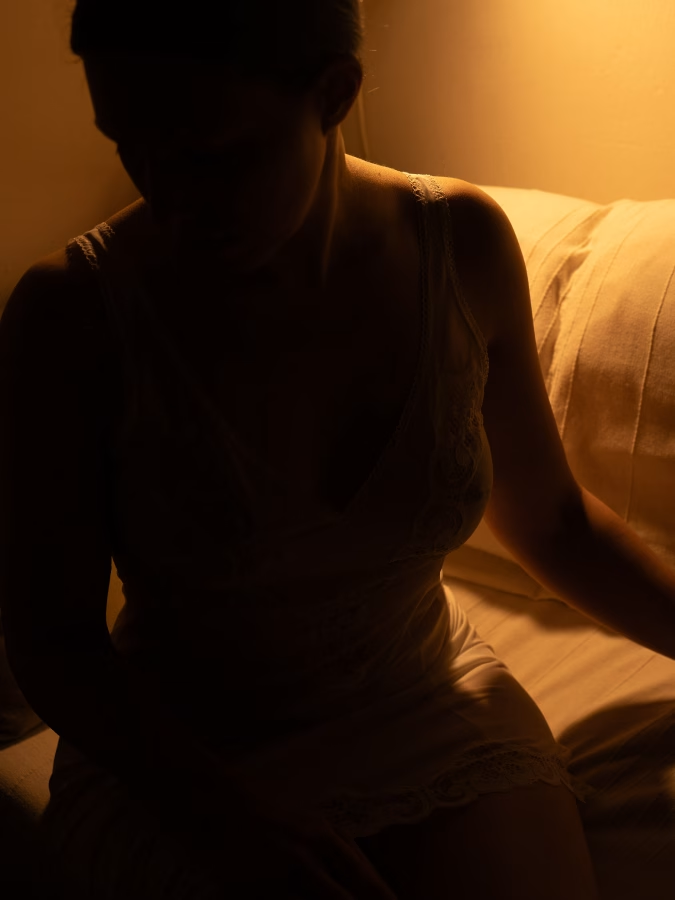
Instead, find a household lamp in your home and go for an easy, but very effective cinematic portrait like this:
What You’ll Need
For this type of image, you only need a small light source, such as a desk lamp or a reading light.
You could also use fairy lights, or try a laptop or TV screen for a more futuristic, Blade Runner style look.
Model Placement
With this kind of light, it’s important to experiment with where you place your subject.
Since the light source is very small, only a limited area in the image will be well-lit, which is great for creating a mysterious effect in your portrait.
You can also place your model in front of the light source to achieve a silhouette effect similar to that in my image.
My Camera Settings
The settings for this image were:
Camera: Sony Alpha 7 IV, zoom lens @51mm.
Settings: manual mode, 1/25s, f4.5, ISO400.
With this kind of lamp, you obviously don’t have a lot of light available.
Therefore, use a large aperture and a slow shutter speed if you can (use a tripod!).
In combination, this helps you keep the ISO low, which is great for avoiding too much grain.
Post-Production in Photoshop
I didn’t actually do any editing in Photoshop for this image.
In general, though, with this kind of lighting, you may need to increase the exposure slightly in post-production.
In addition, you may want to use the Denoise tool if you used a very high ISO and need to remove grain.
By the way…do you enjoy taking portraits? Then check out my free ebook below:
Free Ebook: 50 Portrait Photography Ideas
If you need fresh inspiration for your portrait photography, download my e-book which contains 50 creative ideas and projects for portrait photography.

But now, back to the blog post!
2.5 Movie-Effect Lighting Using a LED Panel
The final lighting set-up is another low light set-up using side lighting for a mysterious, film noir effect.
What You’ll Need
This lighting setup requires one piece of gear: an LED panel. These panels are very cheap, and you can easily find them on Amazon or in larger photo and video stores.
I highly recommend you invest in one or two of these panels, as they are super convenient and multifunctional.
First of all, they are very small and light, meaning you can take them anywhere.
Also, mine’s charged with a cable, and the battery lasts for ages.
Usually, these panels have a little attachment at the bottom so you can screw them onto tripods, such as gorilla tripods.
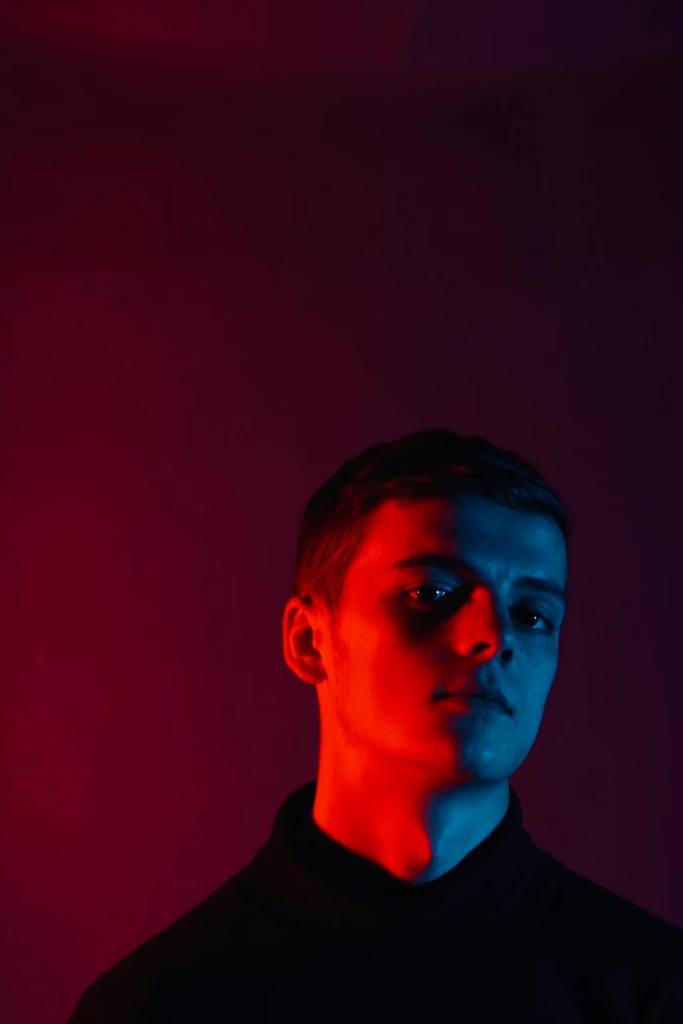
By the way, another fun thing to do with these LED panels is to use them in combination with either coloured fabric or so-called coloured gels, i.e. coloured sheets of plastic.
You can then achieve a cinematic effect similar to this picture:
Model Placement
Here’s the image I took with the LED panel:
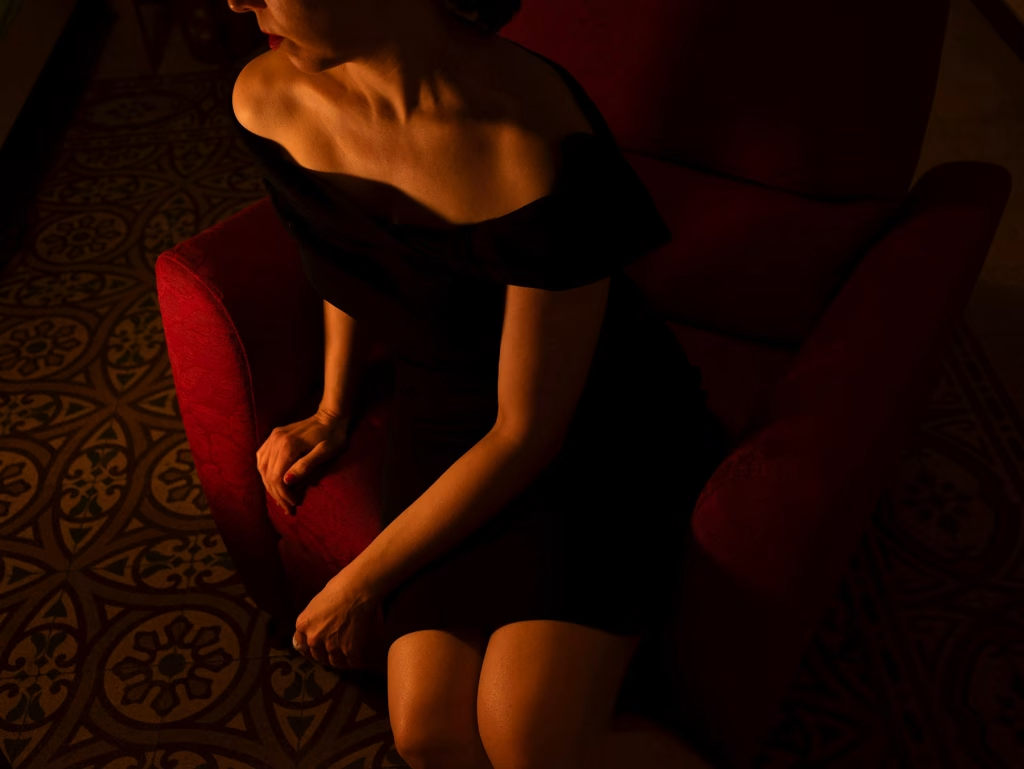
To create an effect like in my image, it’s best to place the LED panel to the side of the model so the light hits them only in certain areas.
This creates more contrast and a lot of shadows, giving you that cinematic, moody look.
My Camera Settings
The settings for this image were:
Camera: Sony Alpha 7 IV, zoom lens @35mm.
Settings: manual mode, 1/50s, f4, ISO640.
Just like with the household lamp set-up, you will need a higher ISO for this shoot because there’s only minimal environmental light.
Try to keep it as low as possible, though, so your image doesn’t end up too grainy.
Post-Production in Photoshop
This picture was edited very little–I only increased the exposure.
If you wanted to, you could add a filter to your LED panel image, e.g. a warming filter, to make it look more mysterious or intimate.
You could also try using the Photoshop Color Balance tool or the Lightroom adjustment sliders to add some blue tones to the shadows and yellow tones to the highlights for a very typical movie colour grade.